> For the complete documentation index, see [llms.txt](https://help.tillit.cloud/tillit/llms.txt). Markdown versions of documentation pages are available by appending `.md` to page URLs; this page is available as [Markdown](https://help.tillit.cloud/tillit/knowledge-base/setting-up-tillit/integrations.md).

# Integrations

## Overview

Channels, e.g Webhook allows you to send data to other services when specific events are triggered in TilliT

For example, when a specific activity passes in TilliT, you can send the data in a payload to Microsoft Dynamics 365.

{% hint style="warning" %}
For setting up SMS, Email, Push notification and Notification in the TilliT app see the [User Subscriptions](/tillit/knowledge-base/users/manage/user-subscriptions.md)
{% endhint %}

## Navigation

{% hint style="info" %}
Navigation: ***Settings > Integrations***
{% endhint %}

## Configure a Channel

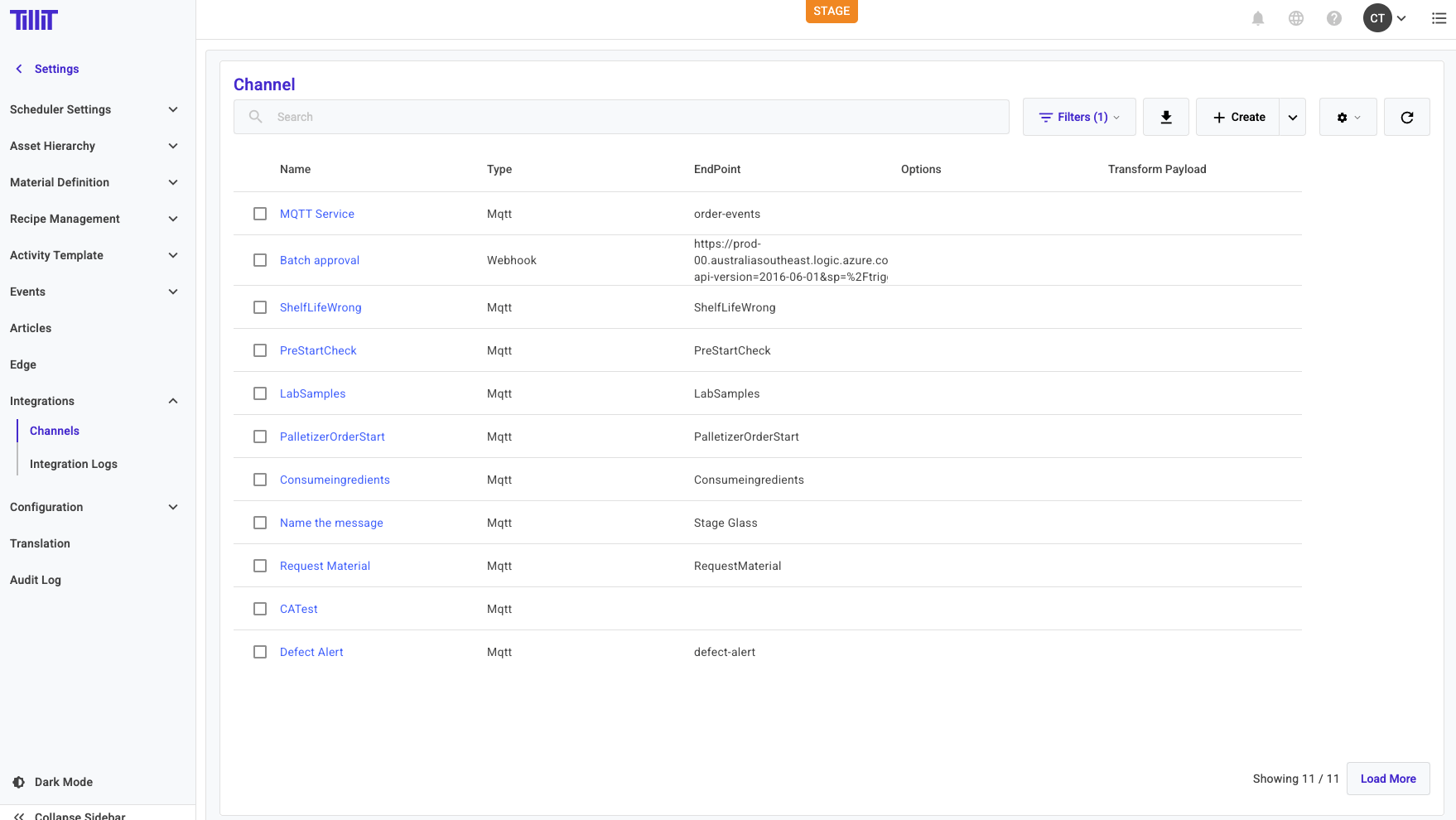
Navigate to Settings > Integrations > Channels and **create** a Channel

<figure><img src="/files/RP3E6L7s01NfdI3Q4PLN" alt=""><figcaption></figcaption></figure>

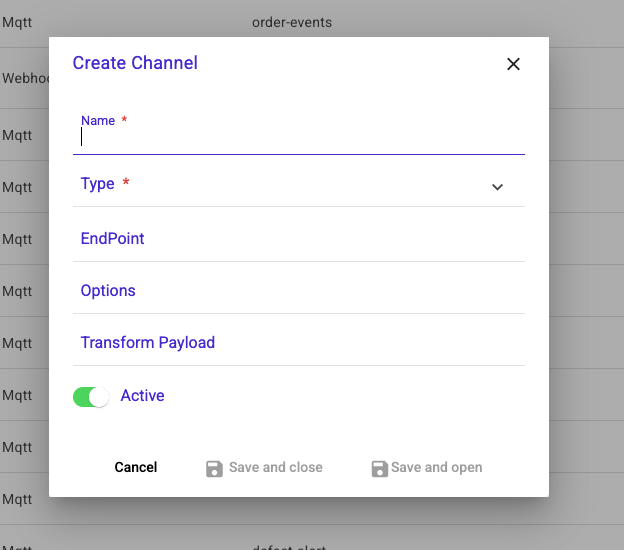
Fill in the form and hit **Save and Open**

<figure><img src="/files/bwTBRD15fCFTDVZqsbvh" alt=""><figcaption></figcaption></figure>

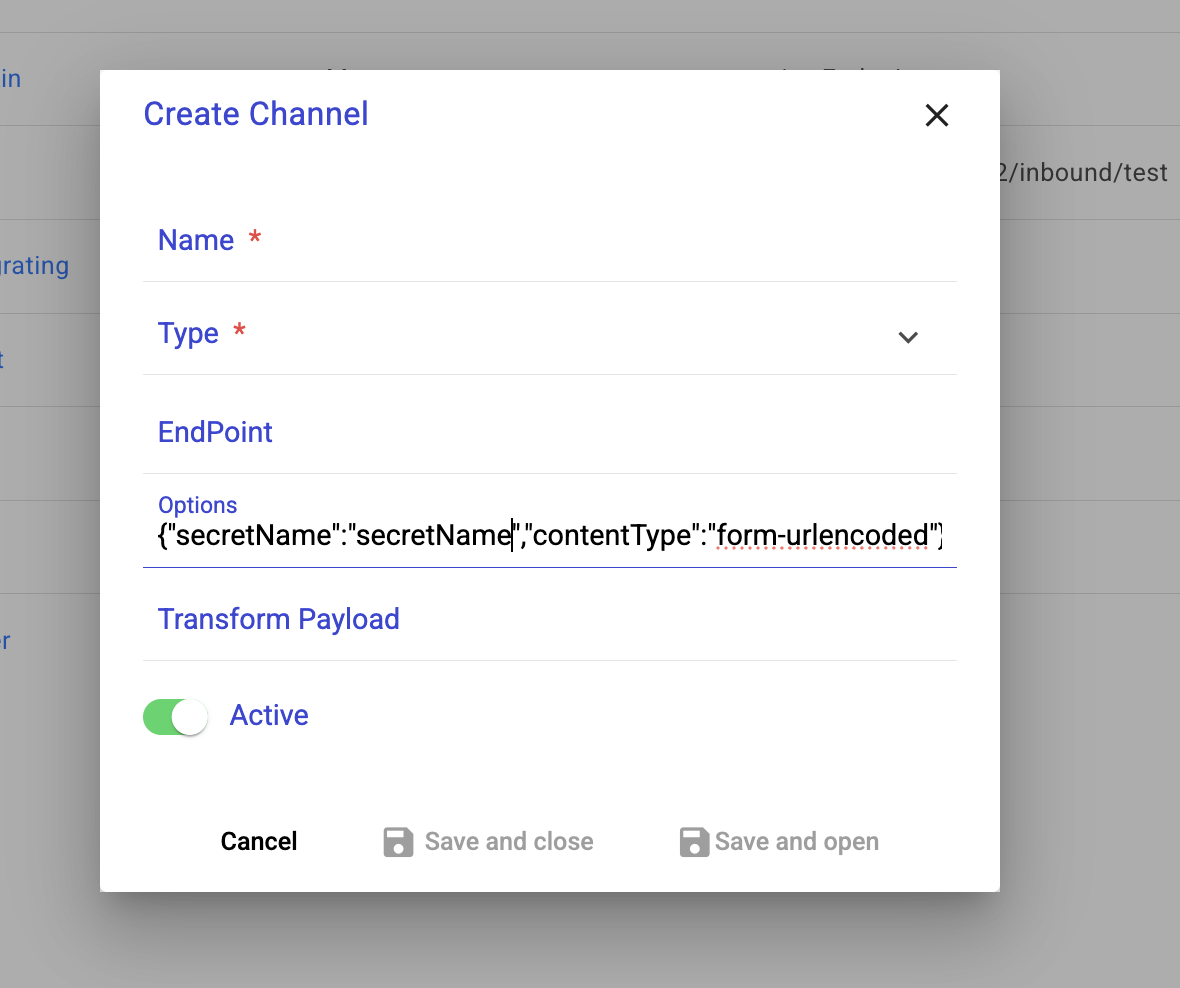
<table><thead><tr><th>Name</th><th>Description</th></tr></thead><tbody><tr><td>Name</td><td>The name of your channel</td></tr><tr><td>Type</td><td>Webhook, MQTT, Sftp, or WireFlow</td></tr><tr><td>Endpoint</td><td>See <a href="https://help.tillit.cloud/api/mqtt-api/subscribe-to-a-tillit-topic">https://help.tillit.cloud/api/mqtt-api/subscribe-to-a-tillit-topic</a></td></tr><tr><td>Options<img src="/files/Q5cNAZRgmHjxLSoyndPi" alt=""></td><td><p>See below for general options and Sft channel options. It should be written as a json object<br></p><pre><code>export type ChannelOptions = {
  username?: string;
  headers?: any;
  authType?: 'OAUTH' | 'BASIC' | 'TOKEN';
  tokenUrl?: string;
  clientId?: string;
  secretName?: string;
  scope?: string;
  grantType?: string;
  jsonata?: string;
  contentType?: string; // Support form-urlencoded content type 
};
export type SftChannelOptions = {
tempFolder?: string;
filePrefix?: string;
host?: string;
username?: string;
port?: number;
secretName?: string;
};
Example:
{
"username": "myName",
"tokenUrl": "tokenUrl.here"
}
</code></pre></td></tr><tr><td>Transform Payload</td><td>This is a jsonata expression. See their documentation here - <a href="https://jsonata.org/">https://jsonata.org/</a>. It is used to reduce the payload size so that only the requirement data will be sent to the channel.</td></tr></tbody></table>

Click the ***Save and close*** button to finalise.

## WireFlow Channel Type

The **WireFlow** channel type allows TilliT events to directly invoke a WireFlow flow. When a subscribed event fires on a WireFlow channel, TilliT triggers the configured flow in your WireFlow environment and passes the event payload to it.

This is useful for building event-driven automation pipelines — for example, triggering a WireFlow flow automatically when an activity completes or an order status changes in TilliT.

{% hint style="info" %}
See [WireFlow](/tillit/knowledge-base/setting-up-tillit/integrations/wire-flow.md) for more information about creating and managing WireFlow flows.
{% endhint %}