Report Templates

Overview

circle-info
  • Report template is used to generated PDF reports using data from an order. This feature is useful to generate end of order report for auditing, or even to generate a certificate of analysis.

  • When generating a PDF report we can incorporate any data from activities that were submitted, including pictures, and we have the ability to format the report to our liking.

  • The process of creating a report template is split into two steps.

    • First we filter the data that is relevant to this report, which activities are to be read and displayed and which order attribute should be listed.

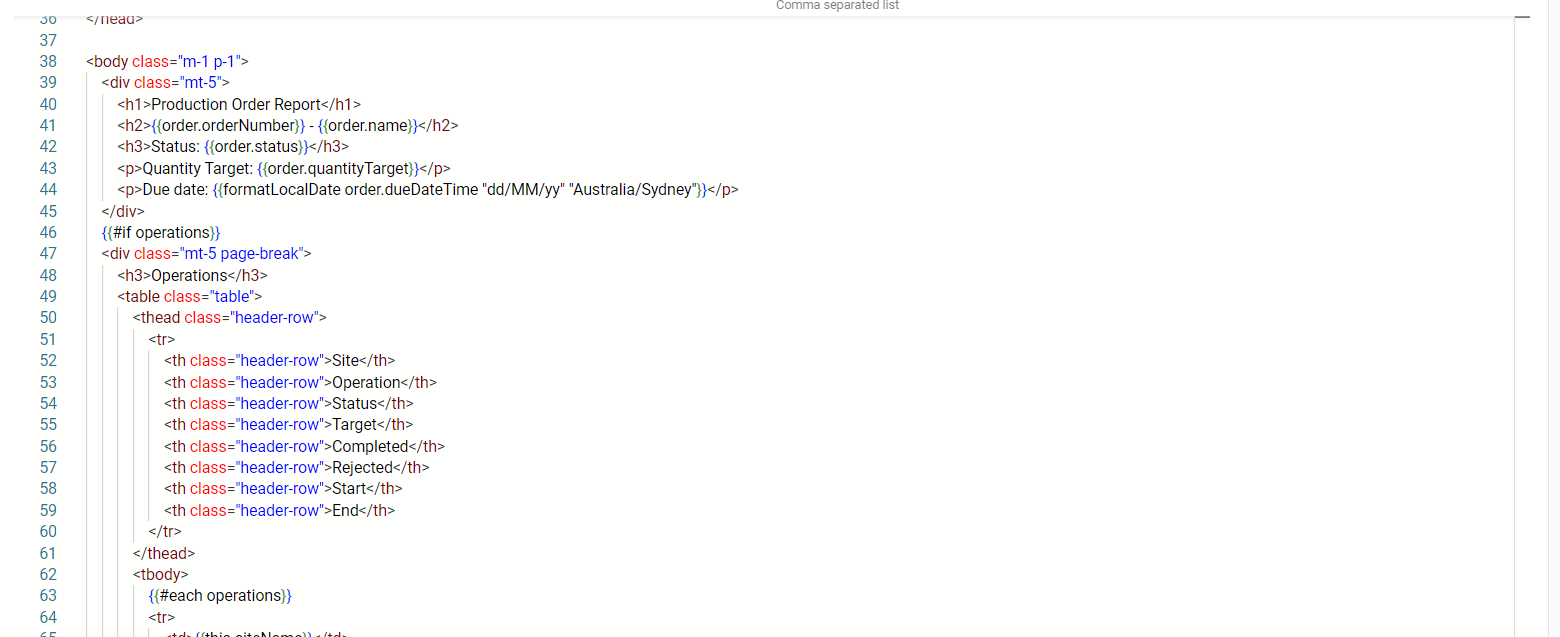
    • Then we work on a HTML template. This HTML Template is what allows you to format the final PDF the way you need, adding your company logo, fonts and colours.

This guide details the process for creating and managing report templates within our system, focusing on producing PDF reports through various configurations and customisations.

Navigate to Settings > Configuration > Report Template to go to the configuration page.

Creating a Report Template

Click on the Create button, then you should be presented with a multi step modal with fields like below.

Name
Desc

Name

The name of the report

Description

Description of the Report

Data type

ORDER or EVENT or ACTIVITY

Asset Classes

The option to choose what Asset classes will be included in the report.

HTML Template

Choose to create a new HTML template or an existing one if there is one. Choose 'New from Blank' for a completely blank template. It is recommended to choose 'New from Starter Template' if you don't have any HTML and handlerbars scripting experience.

Attributes

The option to choose which attributes will be included in the report.

Activities

The option to choose which activities will be included in the report.

Operations

The option to choose which order template operations, will be included in the report. Note: this must be written in a comma separated list.

Include Images

The checkbox option to include images in your report.

Sort By

You can choose to sort the Activities in the Report by Completed At date or Issued At Date

Sort Direction

Sort direction of the chosen sort by field

For this example, we will make a Order Report of type ORDER. After filling out the details, click on Save and Open.

Editing your HTML Template

Utilise the HTML editor to begin designing your report. This is where you can format and lay out your report. We use a templating engine called Mustachearrow-up-right, which allows dynamic data insertion using curly braces, e.g., {{order.order_number}}.

To make the editing process easier, you can simulate the form with an actual order by scrolling down to the bottom of the page and click "Select and Order".

circle-exclamation

Then you will be presented with three views.

  • The Preview HTML view shows you what the HTML you have on the editor will render in one scroll in the page.

  • The Preview PDF will render a PDF file that is formatted with your HTML and this file can be saved and viewed in pages.

  • The Order Data will show you what data is available based on not just the chosen preview order but also the data from all the assets, attributes and activities that you had chosen before. This can be utilized to figure out how to write your data insertion.

HTML Templates

HTML Templates are managed separately from Report Templates and can be shared across multiple Report Templates.

The HTML Template editor and preview panels are displayed as top-level expansion cards within the Report Template configuration page.

Expanding the HTML Template card gives you access to the full editor and preview.

circle-exclamation

Creating an Order Report

Now after creating your template, go back to the Homepage, then click on Orders. Choose any Order then click on Details. Next to the name there is a little button with a printer icon.

Here if you have more than one templates, more than one will pop up, but "Order Template" is the one we just made.

Afterwards, a dialogue will pop up like below that will let you download the report.

Last updated