> For the complete documentation index, see [llms.txt](https://help.tillit.cloud/tillit/llms.txt). Markdown versions of documentation pages are available by appending `.md` to page URLs; this page is available as [Markdown](https://help.tillit.cloud/tillit/knowledge-base/setting-up-tillit/configuration/creating-and-using-report-templates/board-reports.md).
# Board reports
Report Templates with **Data type** set to **BOARD** pull data directly from one or more boards instead of an order or shift. Use this for reports built from reference data, or that summarise records logged against a board over a period of time.
## Configuring Board Data
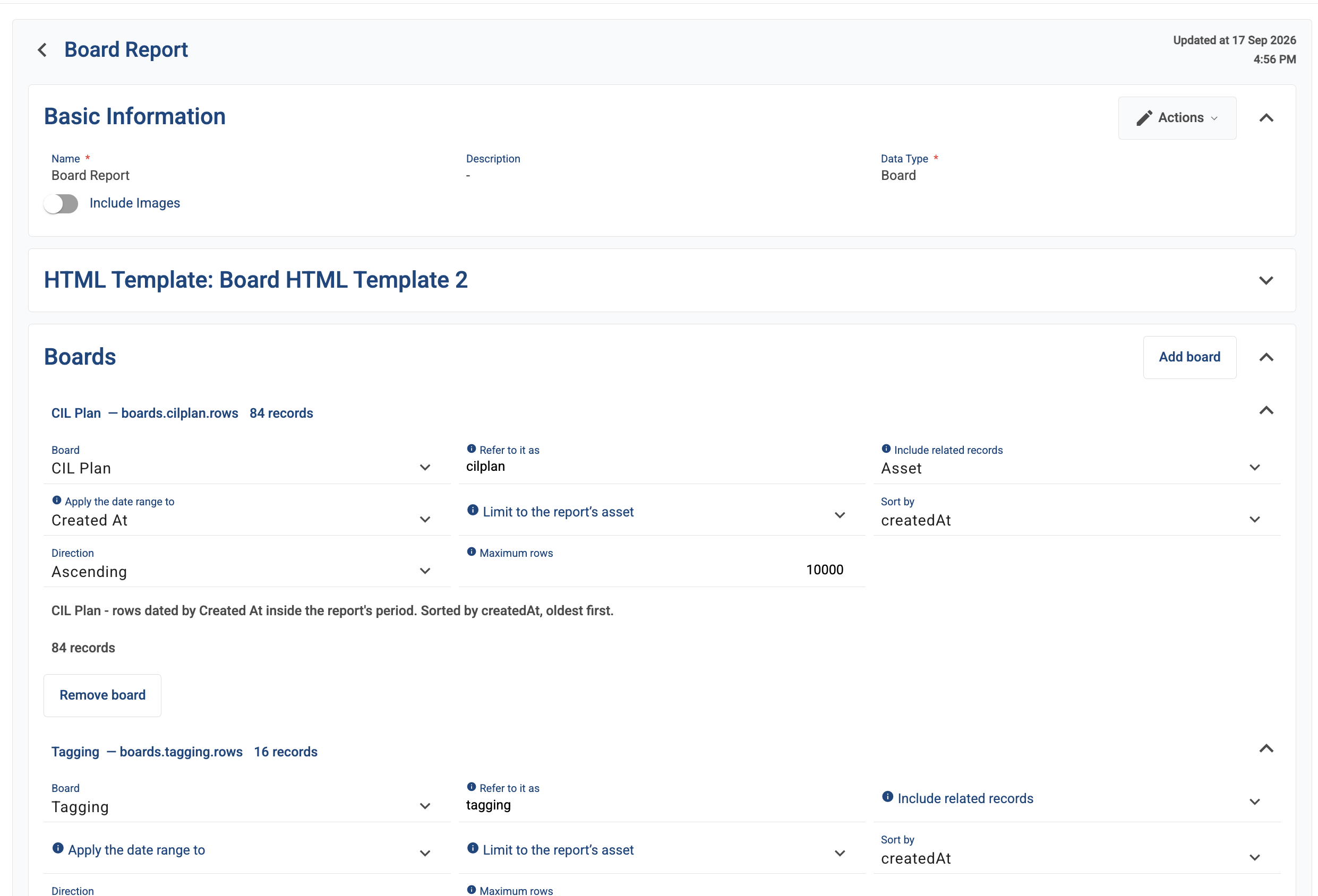
Add up to four boards to the template. Each board's data is fetched and reported independently — there's no automatic matching between boards.
For each board, configure:
| Field | Description |
| ------------------------------ | --------------------------------------------------------------------------------------------------------------------------------------------------------------------- |
| **Alias** | The name used to reference this board's data when writing the report layout. |
| **Related records to include** | Pulls in linked record details (e.g. a name) instead of just an internal ID. Including more of these increases the report's size. |
| **Date field** (optional) | Which of the board's date fields the report's date range applies to. Leave unset to include the whole board regardless of dates — useful for reference/lookup boards. |
| **Asset scope** (optional) | Restricts this board's rows to the report's selected asset, via a relationship field you choose. |
| **Sort field and direction** | Determines which rows are kept if the board has more matching rows than the maximum. |
| **Maximum rows** | A safety limit. If more rows match, the report uses the first batch (by the configured sort) and is marked as incomplete. |
While configuring, review the live record count and summary line shown under each board, to confirm the setup matches something before saving. The count greys out temporarily right after an edit, until the change is saved.
{% hint style="info" %}
**Zero records?** This can mean the board itself is empty, nothing falls inside the selected date range, or nothing matches the selected asset.
{% endhint %}
{% hint style="warning" %}
**Report size warnings** appear as you approach the overall report size limit, and a stronger warning appears if it's exceeded. If you see one, try in this order: turn off unneeded related records, narrow the date range, lower a board's row limit, then remove a board as a last resort.
{% endhint %}
{% hint style="warning" %}
If a board's structure changes after the template was set up (a field is renamed or removed), any setting pointing at that field shows a "this field is no longer on the board" error. The template still works, but should be corrected. If the board itself is deleted, the template shows a warning and can't generate correctly until the reference is fixed.
{% endhint %}
Once your boards are configured, write the report layout referencing the board aliases and fields.
## Previewing a Board Report
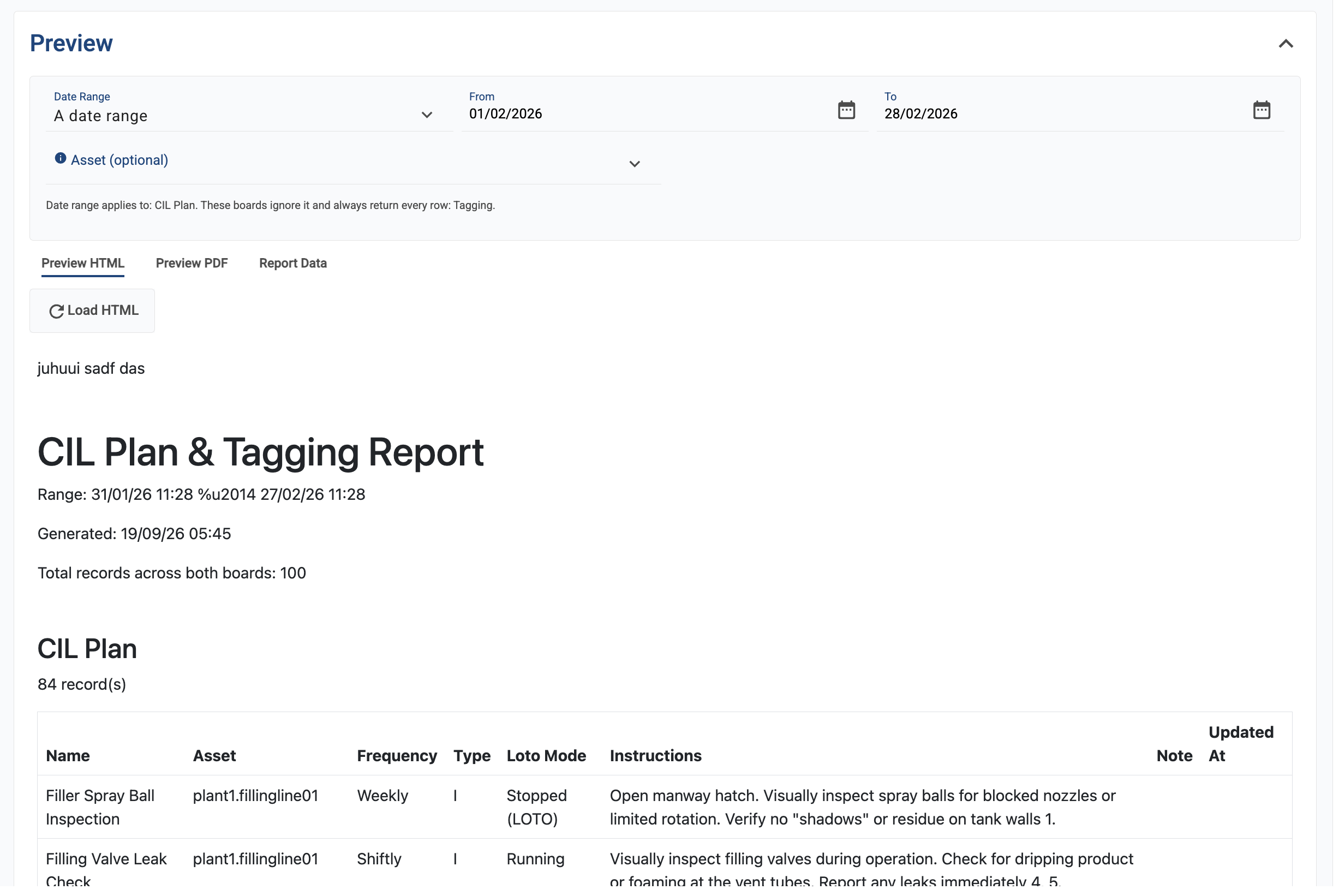
Set a preview date range (and asset, if the template scopes by asset), then use the preview panel to check your work before finishing the layout:
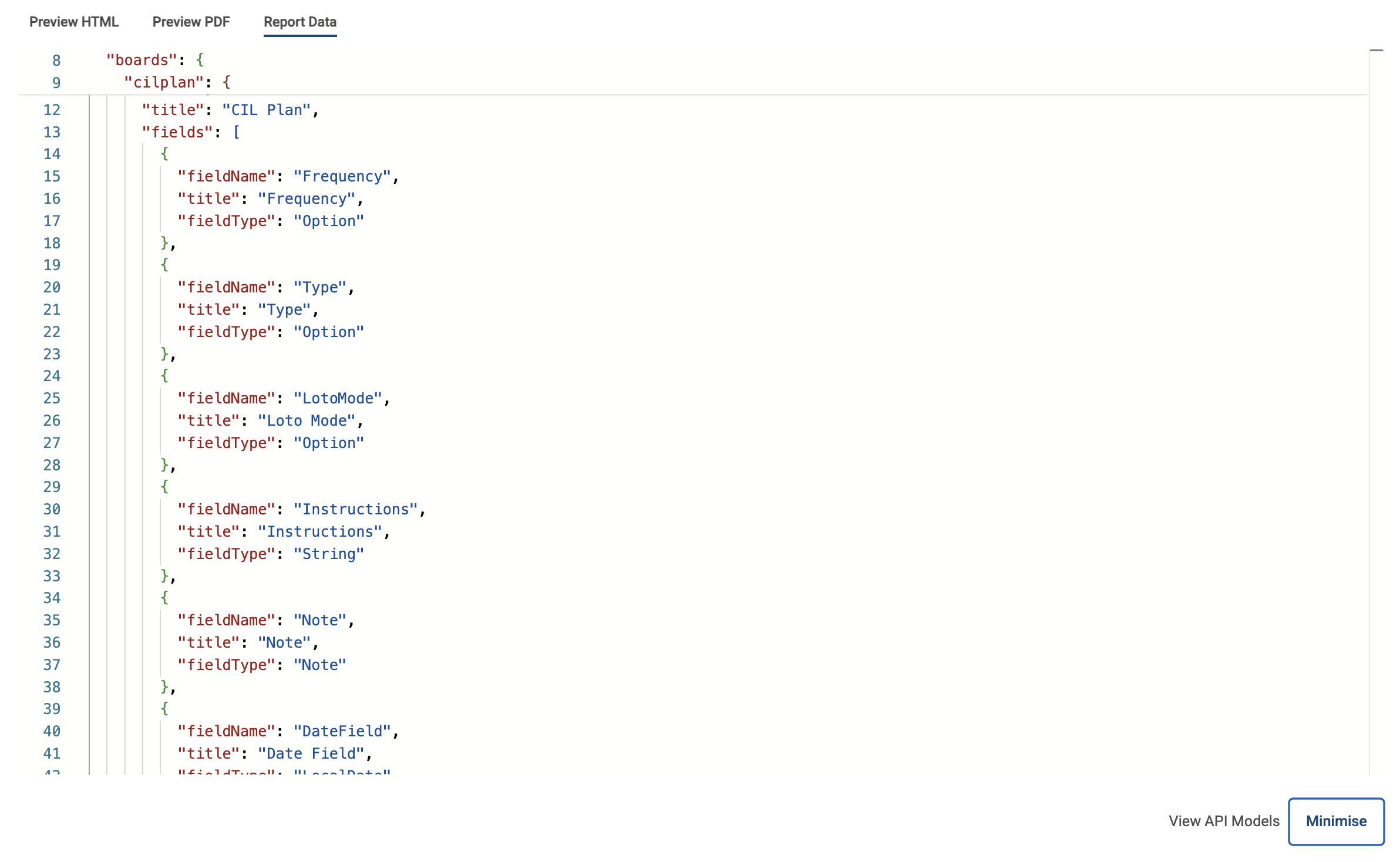
* **Report Data** shows the raw data available, so you can confirm field names and structure.
* **Preview HTML** or **Preview PDF** renders the visual result using the same data as a real run — what you see is what you get.
## Generating an Ad-Hoc Report
{% hint style="info" %}
If no templates exist for a board yet, no report can be generated — an admin needs to create one first in **Settings > Configuration > Report Template**.
{% endhint %}
{% stepper %}
{% step %}
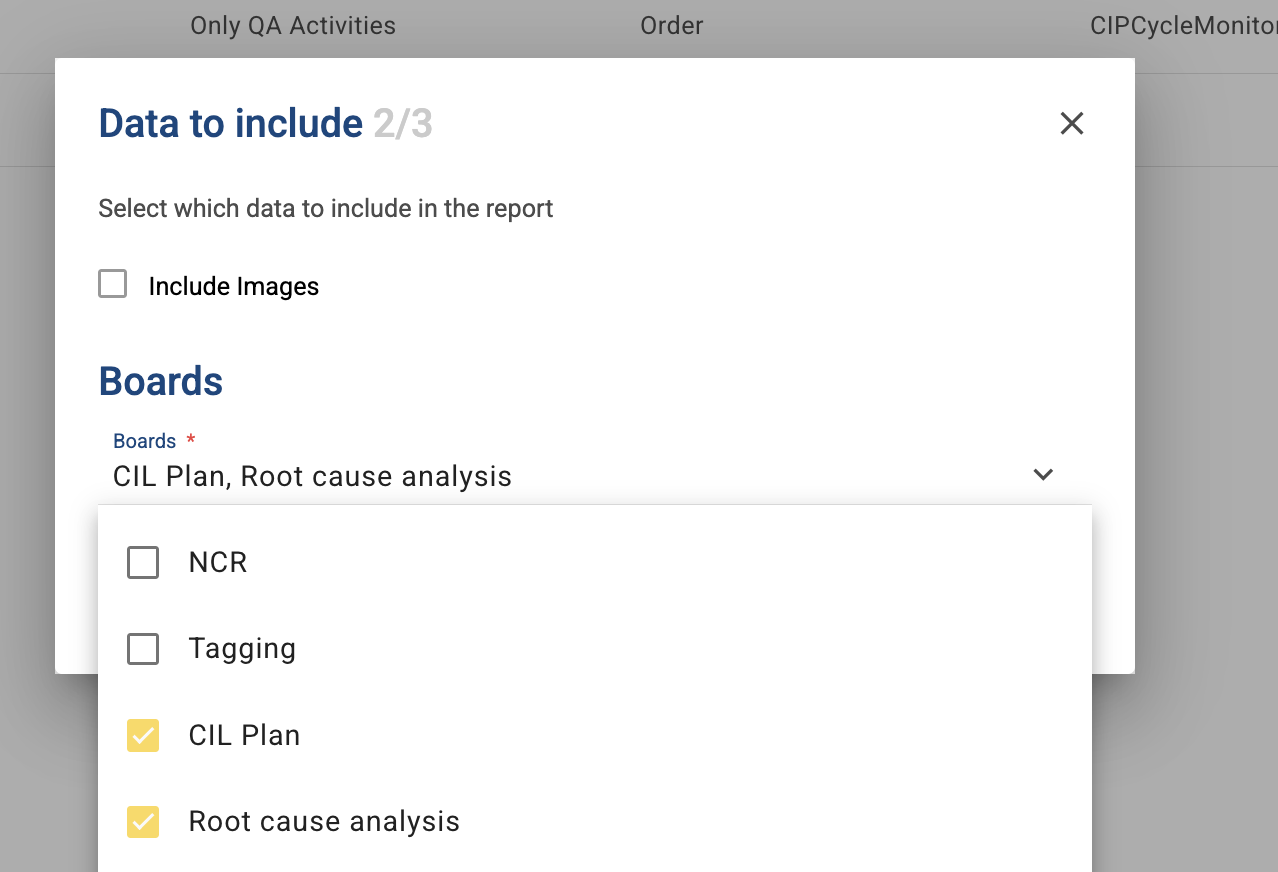
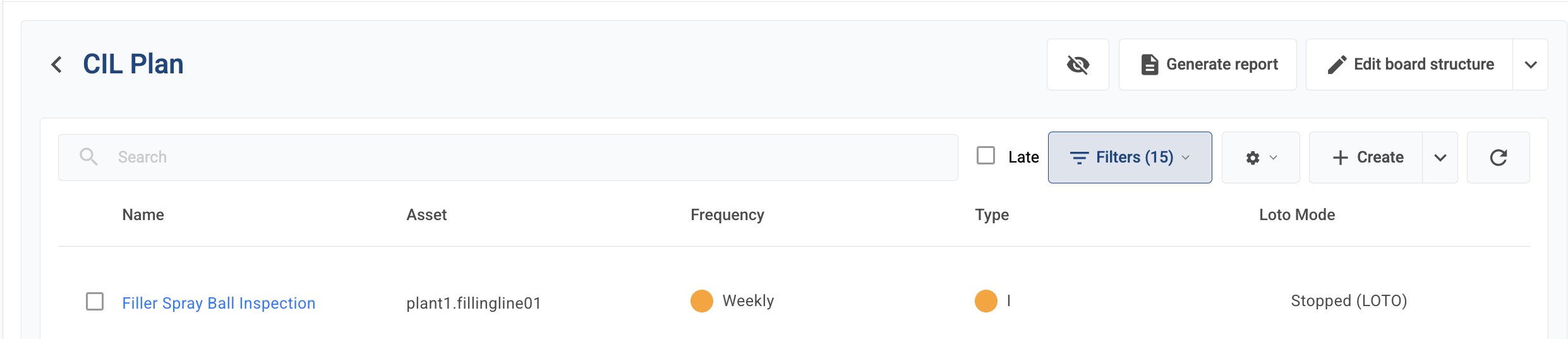
Open a board and click **Generate report**.
{% endstep %}
{% step %}
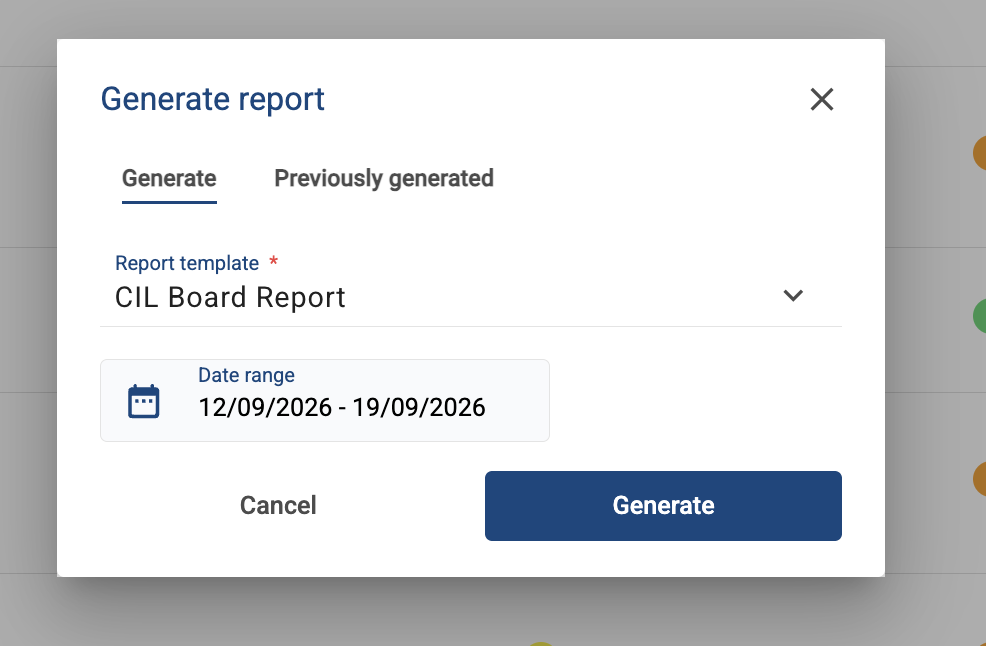
Choose a report template—different templates may show different data.
{% endstep %}
{% step %}
Set a date range if the template has a date field configured — this filters the report to data within that window. If no date range is set, all rows are pulled until the row limit is hit.
{% endstep %}
{% step %}
If the template requires it, select an asset to narrow the report to that asset's data.
{% endstep %}
{% step %}
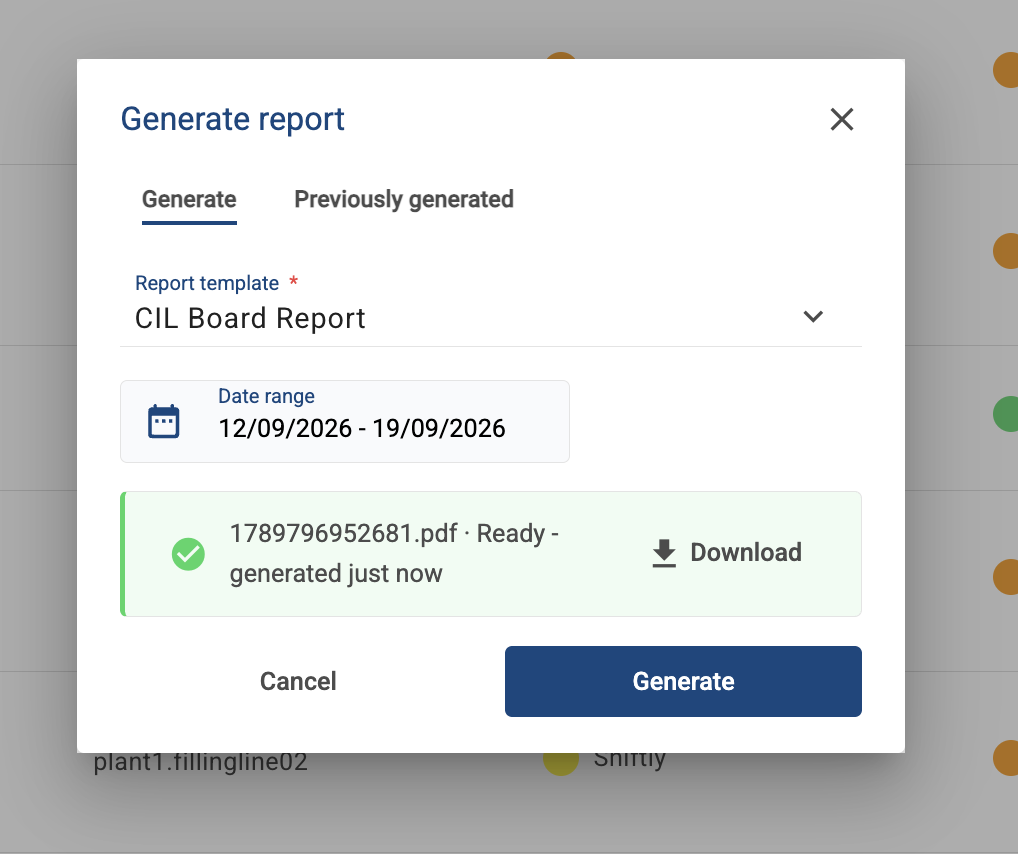
Start generation and wait for it to complete—this runs in the background, so you can navigate away and check back later.
{% endstep %}
{% step %}
Once ready, download the finished report. If generation fails, try again; contact support if it keeps failing.
{% endstep %}
{% endstepper %}
## Viewing Previously Generated Reports
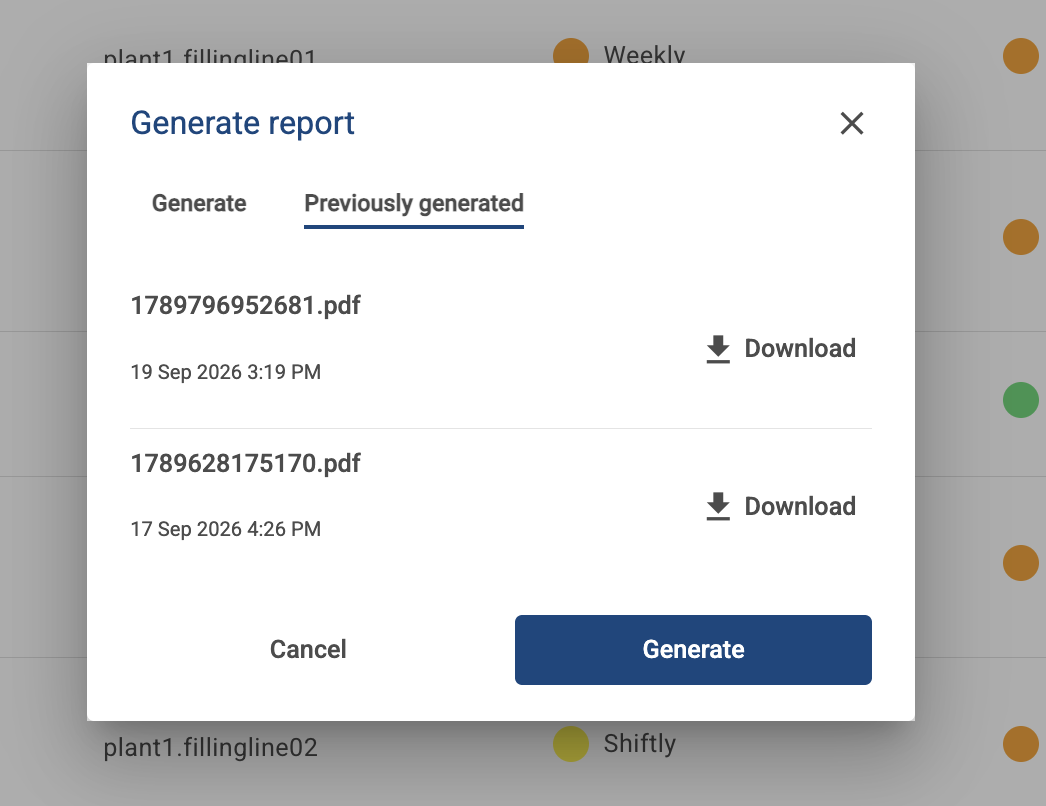
Open the report dialog for a board and switch to the history view by selecting **Previously generated**. Each entry shows when that report was generated (not when the underlying data was captured—the data range is set separately, at generation time). Download any previous report directly from the list.