> For the complete documentation index, see [llms.txt](https://help.tillit.cloud/tillit/llms.txt). Markdown versions of documentation pages are available by appending `.md` to page URLs; this page is available as [Markdown](https://help.tillit.cloud/tillit/knowledge-base/setting-up-tillit/integrations/wire-flow/advanced-configuration.md).
# Advanced Configuration
Advanced configuration options in Wire Flow — task timeout, iteration, retry, error handling, branching logic, and fail end events.
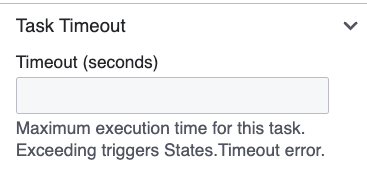
## Task Timeout
Only available for some tasks. Set a maximum execution time per task:
| Field | Description |
| --------------------- | ------------------------------------------------ |
| **Timeout (seconds)** | If exceeded, the task fails with a timeout error |
A timeout error can be caught by an Error Boundary event and routed to a fallback path.
{% hint style="info" %}
JSONata and Wait tasks do not support timeout. JSONata is a pass-through operation; Wait has its own timing mechanism.
{% endhint %}
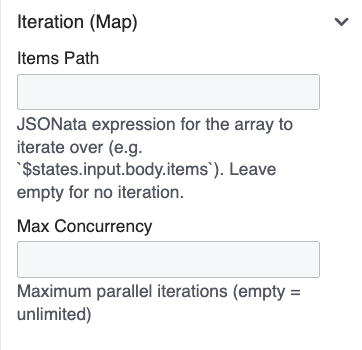
## Iteration (Map)
Any task (except JSONata) can iterate over an array from the previous step's output:
| Field | Description |
| ------------------- | ------------------------------------------------------------- |
| **Items Path** | Path to the array in the workflow state, e.g., `$.body.items` |
| **Max Concurrency** | Number of parallel iterations (empty = unlimited) |
When set, the task executes once per item. A **Map** label appears on the node.
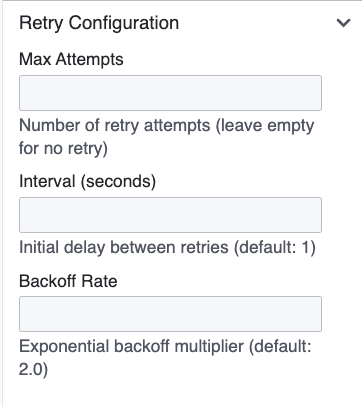
## Retry Configuration
Any task (except JSONata) can retry automatically on failure:
| Field | Default | Description |
| ---------------------- | ------- | -------------------------------- |
| **Max Attempts** | | Number of retries |
| **Interval (seconds)** | 1 | Initial delay between retries |
| **Backoff Rate** | 2.0 | Exponential multiplier per retry |
Example — Max Attempts: 3, Interval: 2, Backoff Rate: 2.0:
* 1st retry after 2s, 2nd after 4s, 3rd after 8s
## Error Handling
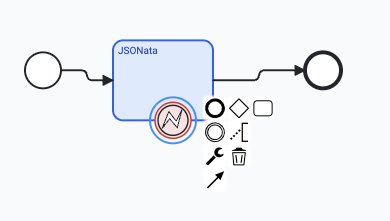
To catch errors from a specific task and route to a fallback:
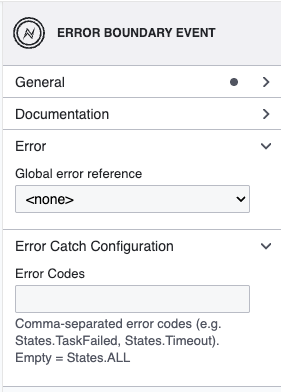
1. Drag an **Error Boundary Event** from the palette.
2. Drop it on the edge of the task node (it snaps to the border).
3. Connect the boundary event to a fallback task or End Event.
| Field | Description |
| --------------- | ----------------------------------------------------- |
| **Error Codes** | Comma-separated list. Leave empty to catch all errors |
## Branching Logic
### Exclusive Gateway (If/Else)
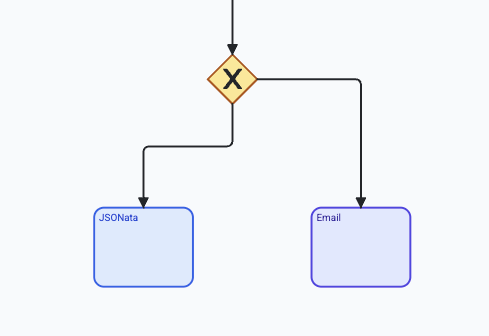
1. Place an **Exclusive Gateway** on the canvas.
2. Connect it to two or more downstream tasks.
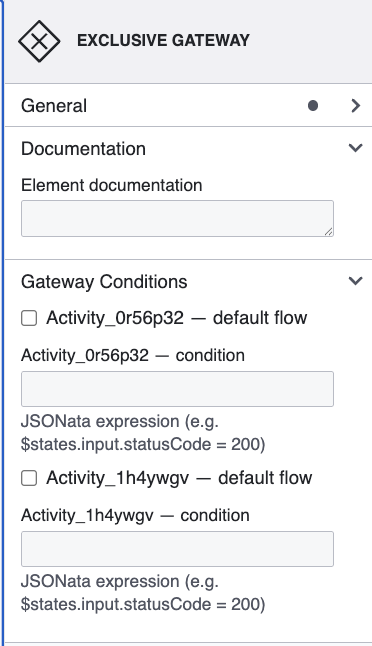
3. Click each **sequence flow arrow** to set its condition, or click the **gateway** to set all conditions at once.
| Field | Description |
| ----------------------------- | --------------------------------------------------------------- |
| **JSONata Gateway Condition** | Evaluates to true/false, e.g., `$states.input.statusCode = 200` |
| **Default flow** | Checkbox — taken when no other condition matches |
{% hint style="warning" %}
Always mark one outgoing flow as **Default** to prevent dead ends.
{% endhint %}
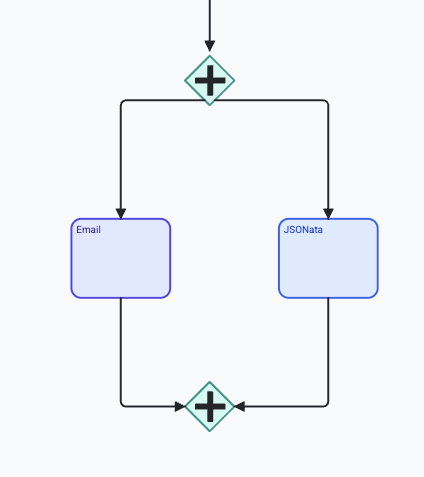
### Parallel Gateway
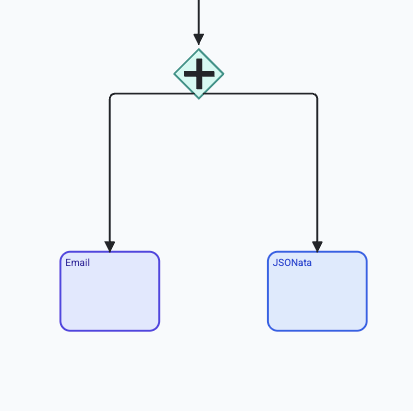
1. Place a **Parallel Gateway** to fork execution.
2. Connect it to multiple downstream paths.
3. Optionally, place a second **Parallel Gateway** downstream to join all branches.
All branches execute simultaneously. The join waits for all branches to complete before continuing.
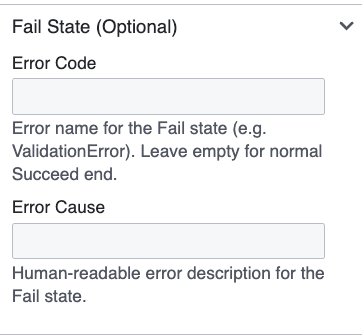
## Fail End Event
By default, reaching an End Event means success. To terminate with an explicit failure:
1. Click the **End Event** node.
2. Set ***Error Code*** (e.g., `ValidationError`) and ***Error Cause*** (human-readable description).
When an Error Code is set, the workflow terminates with a labelled failure — useful for signalling different failure modes to calling systems.