> For the complete documentation index, see [llms.txt](https://help.tillit.cloud/tillit/llms.txt). Markdown versions of documentation pages are available by appending `.md` to page URLs; this page is available as [Markdown](https://help.tillit.cloud/tillit/knowledge-base/setting-up-tillit/edge/advanced-topics/edge-relay.md).
# Edge Relay
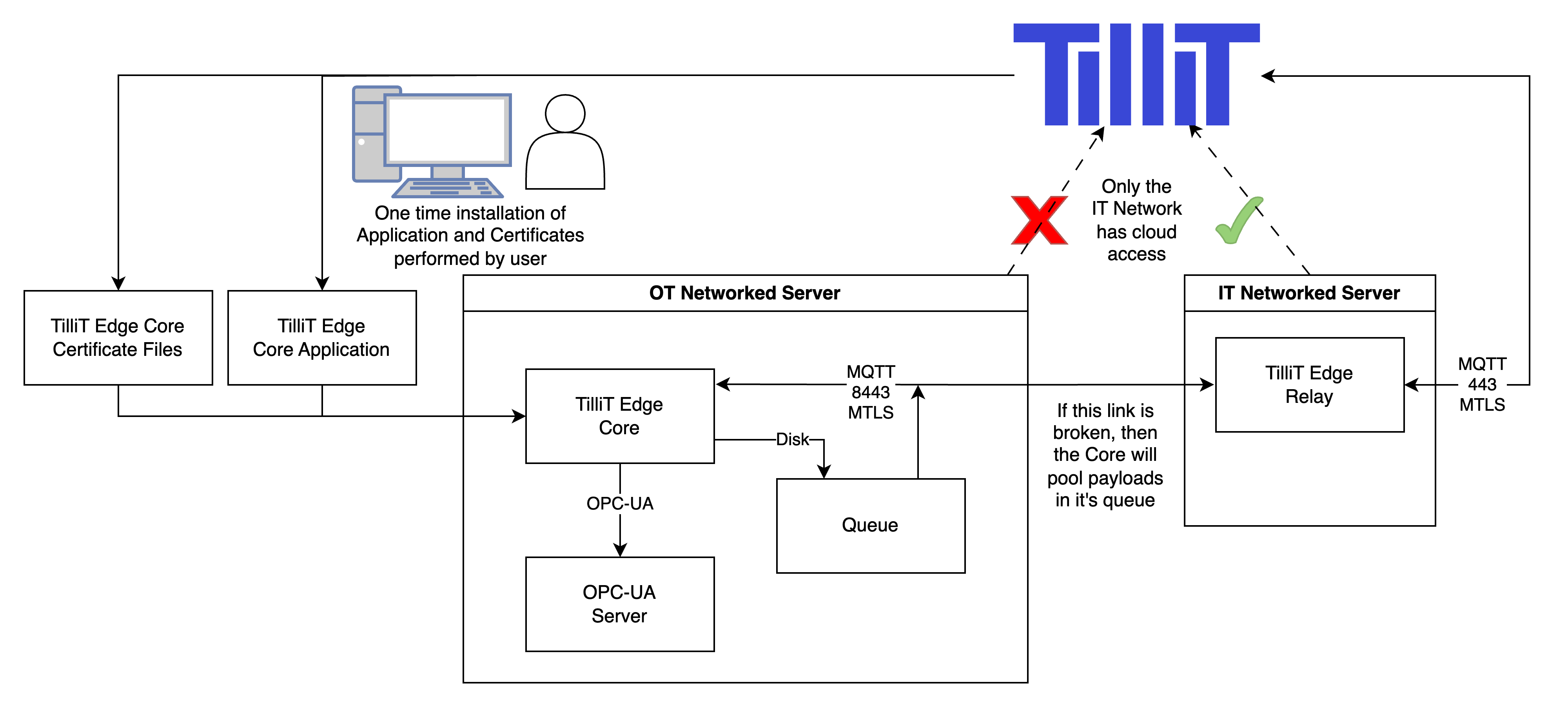
This special page describes what an Edge Relay is and how to correctly install it to work with an Edge Core.
## Design Overview
An Edge Relay is useful in environments which require the TilliT Edge Core logic to be located inside the OT network. Since the OT network does not have direct access to the cloud, an intermediary TilliT Edge Relay provides this access by forwarding local messages to the cloud and vice versa. If the connection to the IT networked server is severed, then the TilliT Edge Core can still read the local data sources (for example, and OPC-UA server) and will pool messages in a queue until a connection is re-established.
## Video Guide
{% embed url="" %}
## Install the Relay
1. Open TilliT and navigate to **Settings -> Edge**, then click the **create** button in the top right
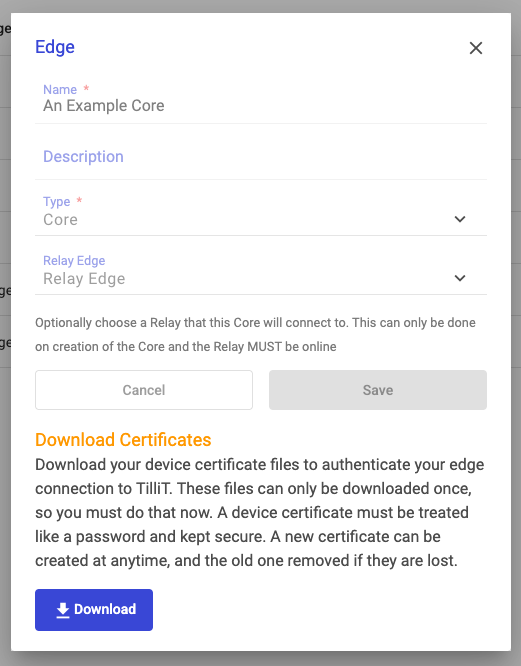
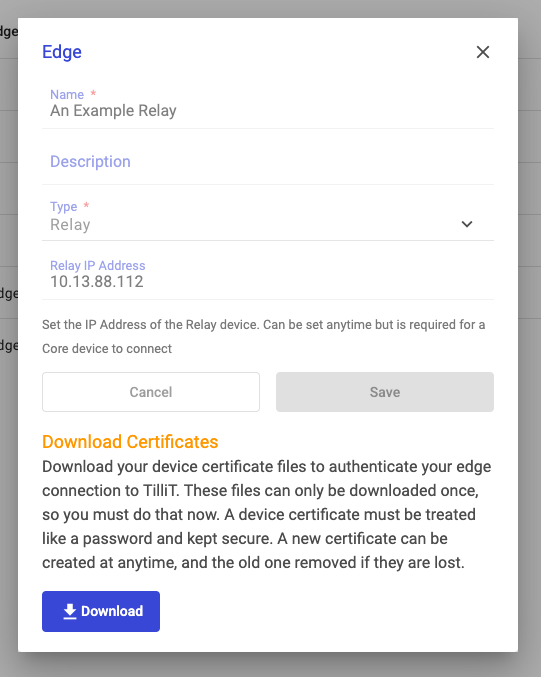
2. Give a name for the Relay and ensure the Type selected is **Relay**. If you already know the **IP Address** of the server which will run the TilliT Edge Relay, then provide it in the field. Then click **Save**
3. You will be prompted to **Download** the certificates for the Relay Edge, save these files for later.
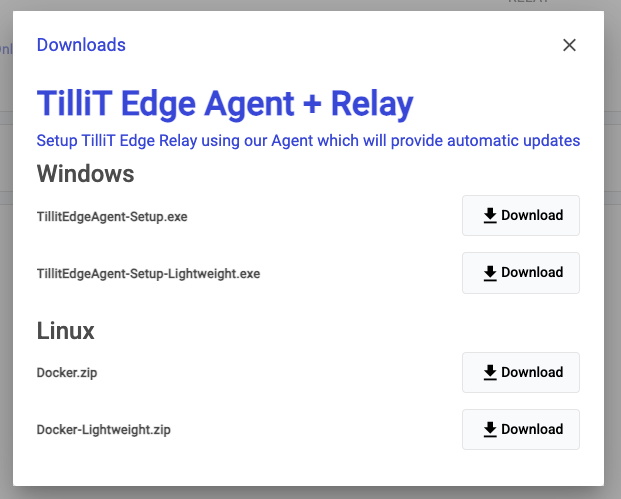
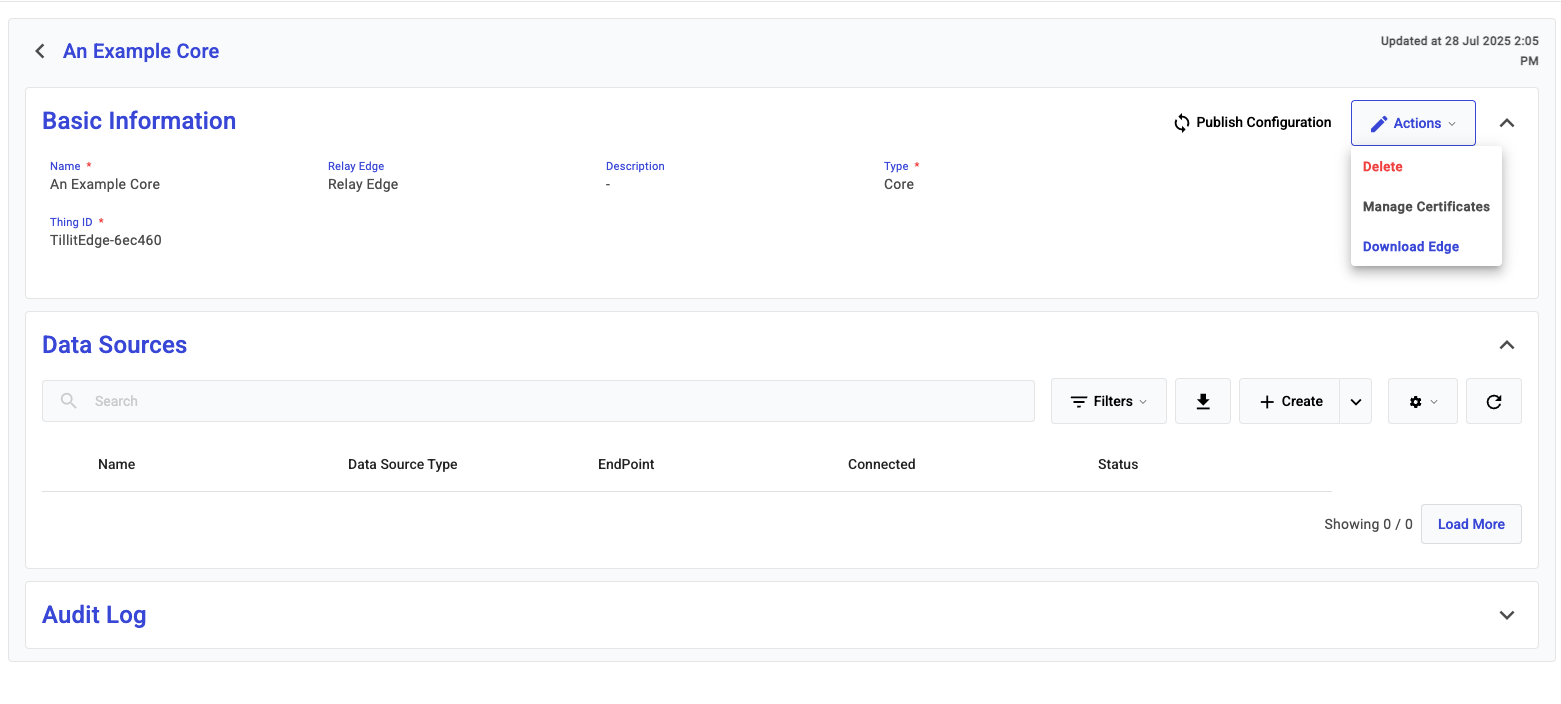
4. Now, navigate to the Relay Edge you have just created and select **Download Edge** from the **Actions** menu
5. Choose the appropriate download for your server. And install the TilliT Edge Agent as per normal
For how to install on **Windows** [See Here](/tillit/knowledge-base/setting-up-tillit/edge/edge/tillit-edge-agent-on-windows.md)
For how to install on **Linux/Docker** [See Here](/tillit/knowledge-base/setting-up-tillit/edge/edge/create-a-self-managed-docker.md)
After installation, check that the Online checkbox next to the edge is ticked and that you have entered the Relay Edge IP Address. You are ready to install the Core.
## Install the Core
1. Open TilliT and navigate to **Settings -> Edge**, then click the **create** button in the top right.
2. Give a name for the Core and ensure the Type selected is **Core**. Then select the **Relay** which this Core will be granted to have access to, this can only be done on creation of the Edge. Then click **Save** and **Download** the certificates like before.
{% hint style="info" %}
Upon creating a Core Edge with a Relay Edge, a deployment will be issued to the Relay Edge to configure the device with the correct permissions to allow connections only from the specified Core Edge. This may take up to 10 minutes to apply, during which the core device will not be able to connect to the relay edge.
{% endhint %}
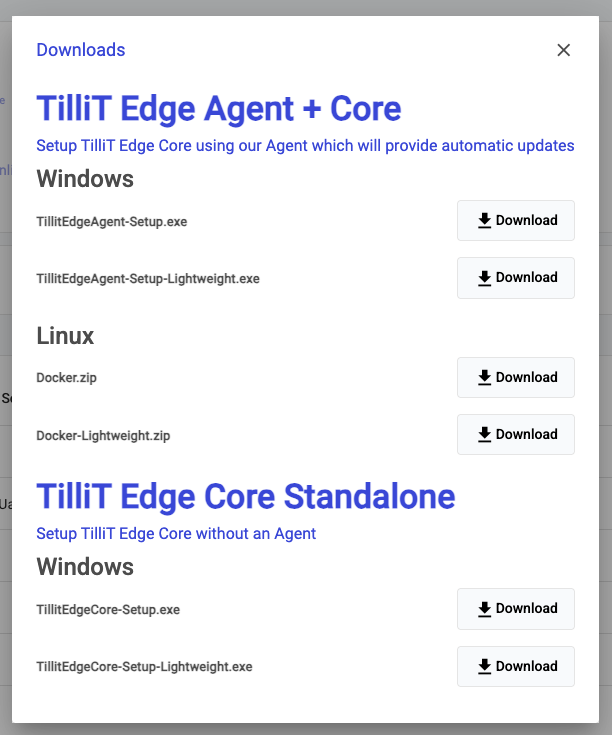
3. Open the Edge Core you just created and open the **Download Edge** page from the Actions menu
3. As we want to use the Core in an offline environment, we cannot use any of the Agent installations. You must choose to download the **TilliT Edge Core Standalone for Windows**
3. Proceed to install the Windows Edge Core as seen [here](/tillit/knowledge-base/setting-up-tillit/edge/edge/tillit-edge-core-on-windows.md)
4. Confirm the installation has worked by observing a tick in the Online indicator next to the edge and an Online tick next to the Datasource connection if configured.
## Troubleshooting
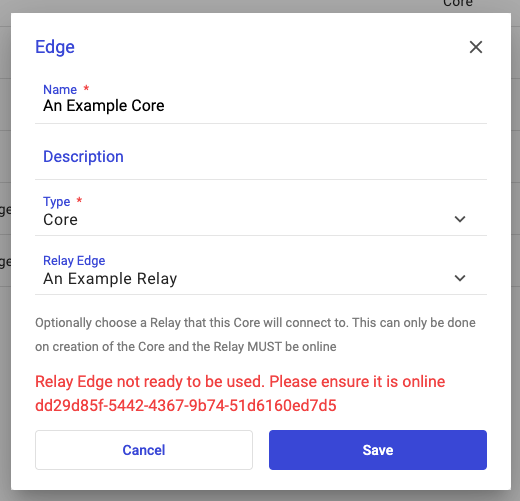
When creating the Core. you may experience the following error
In this scenario, a generic message to check that the Relay device is online and running will be shown as it is a requirement for it to be before the Core can be created. If you are stuck getting the Relay device online, then our Support team will have more information to help.
%20(1)%20(1)%20(1)%20(1)%20(1)%20(1).png?alt=media)