# Common Installation Solutions

## Server or Virtual Machine

Below shows how TilliT edge can be loaded on to a server that is already connected to both the automation network (to connect to the data on the line) and is also connected to the business network that allows connectivity to the internet.

<figure><img src="https://352909507-files.gitbook.io/~/files/v0/b/gitbook-x-prod.appspot.com/o/spaces%2FrNT40XJFAFlAhUX8CcQS%2Fuploads%2Fgit-blob-bfb974a3fd457353ceae82d68afce9e80eda2c97%2Fedge-wireless-network-02.png?alt=media" alt=""><figcaption></figcaption></figure>

### Linux

TilliT edge can be loaded onto any device that can runs linux.

<figure><img src="https://352909507-files.gitbook.io/~/files/v0/b/gitbook-x-prod.appspot.com/o/spaces%2FrNT40XJFAFlAhUX8CcQS%2Fuploads%2Fgit-blob-1648e3cea4bbc1355d323ce526675a5f7ce58145%2Fedge-linux.png?alt=media" alt=""><figcaption></figcaption></figure>

### Edge with Docker

TilliT edge can be loaded onto any device that can run Docker. The SCADA is only an example to show that this device could also have connectivity to the Automation network.

<figure><img src="https://352909507-files.gitbook.io/~/files/v0/b/gitbook-x-prod.appspot.com/o/spaces%2FrNT40XJFAFlAhUX8CcQS%2Fuploads%2Fgit-blob-9ab21d02b2755605ec90dcde1065186ee8785cfe%2Fedge-docker.png?alt=media" alt=""><figcaption></figcaption></figure>

## 4G Router - Direct connection

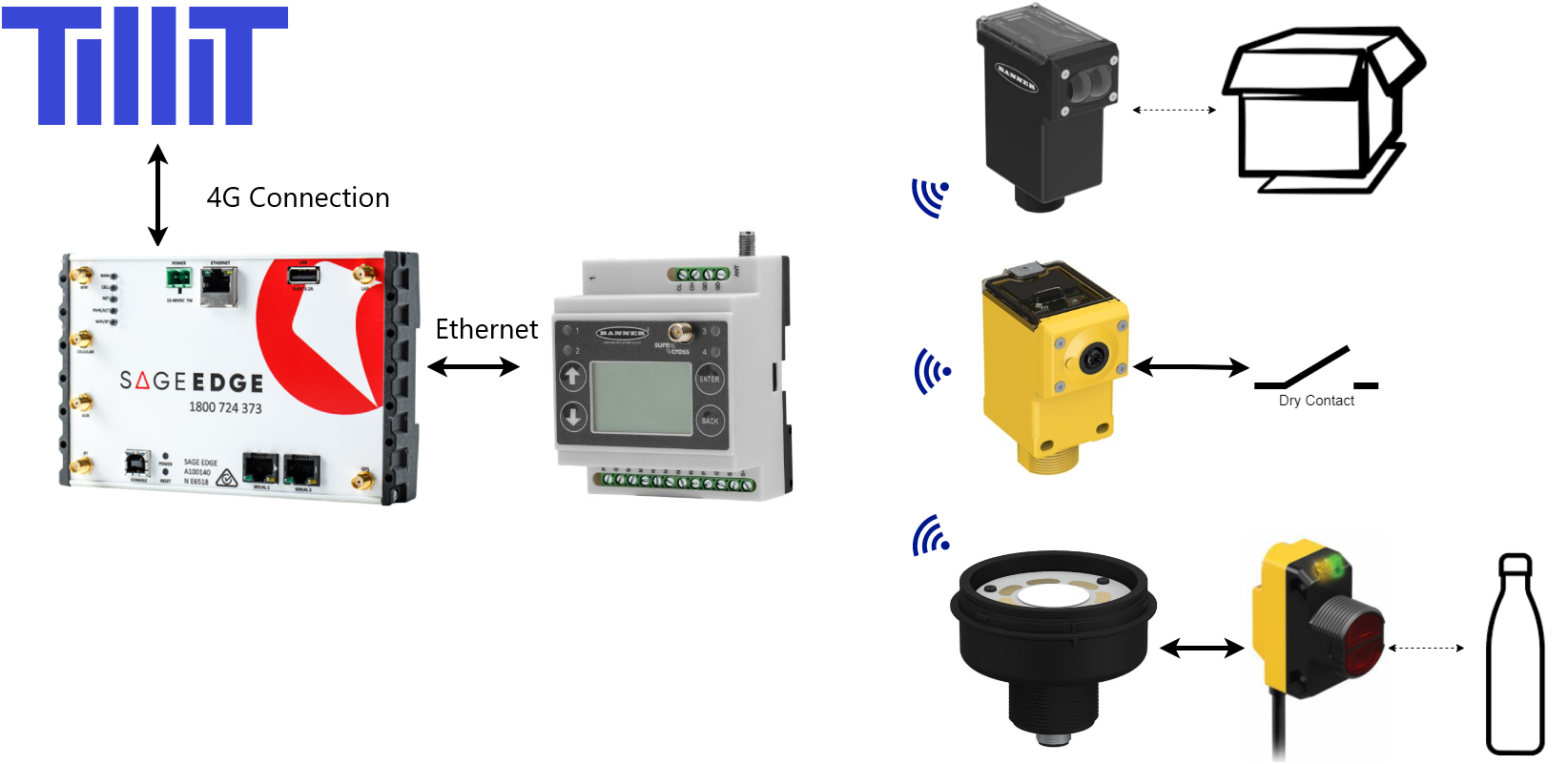
Below shows how an edge device can be used as a wireless 4G router connecting to a Wireless Gateway and connecting to the TilliT cloud.

<figure><img src="https://352909507-files.gitbook.io/~/files/v0/b/gitbook-x-prod.appspot.com/o/spaces%2FrNT40XJFAFlAhUX8CcQS%2Fuploads%2Fgit-blob-d57a1ec5e9247de552fa3479bb9e0fcc97d0942b%2Fspaces_rNT40XJFAFlAhUX8CcQS_uploads_git-blob-5383092acc5a2546feb8d18b90ea458377b37403_Wireless%20Gateway%20Direct%20Connect.png?alt=media" alt=""><figcaption></figcaption></figure>

## TilliT Edge Device

Below is an example of connecting the Edge device to a business network that is also connected to the internet ( TilliT cloud).

<figure><img src="https://352909507-files.gitbook.io/~/files/v0/b/gitbook-x-prod.appspot.com/o/spaces%2FrNT40XJFAFlAhUX8CcQS%2Fuploads%2Fgit-blob-7edc36eb6a6cf7497f17aea7d984d909dafb1e44%2Fsage-edge-on-network.png?alt=media" alt=""><figcaption></figcaption></figure>

## Ignition

Use Ignition to connect your data with DO. See our guide at [ignition-module](https://help.tillit.cloud/tillit/tools/ignition-module "mention").

<figure><img src="https://352909507-files.gitbook.io/~/files/v0/b/gitbook-x-prod.appspot.com/o/spaces%2FrNT40XJFAFlAhUX8CcQS%2Fuploads%2Fgit-blob-0449c3d48baff8fa09aad33401569e95233191c9%2Fimage.png?alt=media" alt=""><figcaption></figcaption></figure>

## Node-red

We can connect TilliT to a Node-RED instance.

<figure><img src="https://352909507-files.gitbook.io/~/files/v0/b/gitbook-x-prod.appspot.com/o/spaces%2FrNT40XJFAFlAhUX8CcQS%2Fuploads%2Fgit-blob-e8a4f75a62e033a803b32683fead7b30fde4a558%2Fimage.png?alt=media" alt=""><figcaption></figcaption></figure>