> For the complete documentation index, see [llms.txt](https://help.tillit.cloud/tillit/llms.txt). Markdown versions of documentation pages are available by appending `.md` to page URLs; this page is available as [Markdown](https://help.tillit.cloud/tillit/knowledge-base/setting-up-tillit/configuration/option-groups.md).
# Option Groups
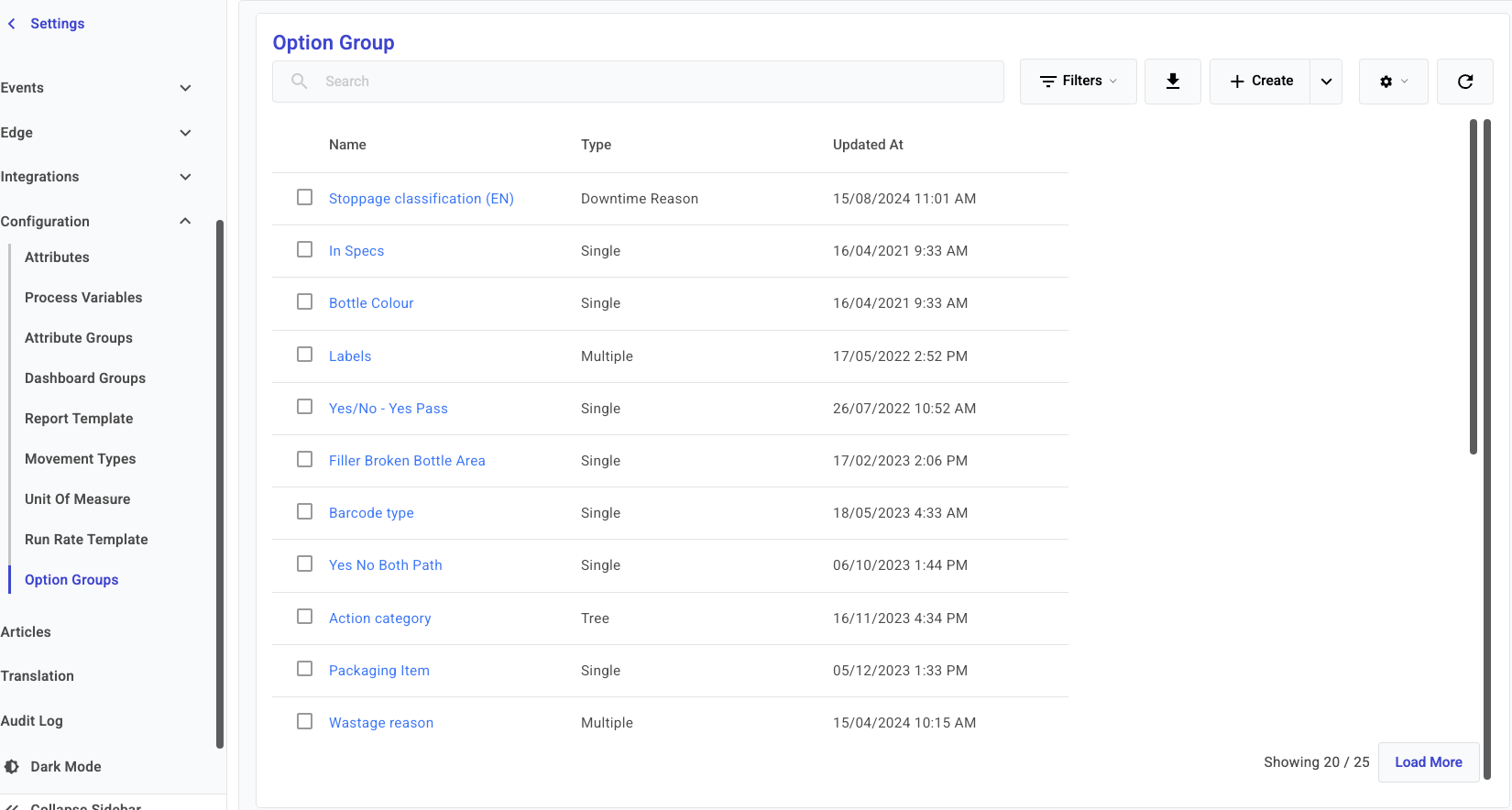
Option Groups are reusable multiple choice or single choice lists that can be applied across multiple entities in TilliT.
**Option Groups** are reusable lists of choices that can be applied across multiple entities in TilliT — including activity template items, downtime selections, and boards items. They allow you to define structured choice lists once and reference them wherever a selection is needed.
## Navigation
***Settings*** > ***Configuration*** > ***Option Groups***
## Creating an Option Group
{% stepper %}
{% step %}
Click ***Create***.
{% endstep %}
{% step %}
Fill out the following fields:
| Field | Description |
| ---------- | -------------------------------------------------------------------------------------- |
| **Name**\* | Name of the option group |
| **Type**\* | The structure of the choice list. See [Option Group Types](#option-group-types) below. |
\* Required field
{% endstep %}
{% step %}
{% endstep %}
{% step %}
Add option items to the group and click ***Save***.
{% endstep %}
{% endstepper %}
## Option Group Types
| Type | Description |
| -------------------- | --------------------------------------------------------------------------------------------------------------------------------------------------------------------------------------------------------------------------------------- |
| **Single** | One layer, single choice list. The user can select only one option. |
| **Multiple** | One layer, multiple choice list. The user can select more than one option. |
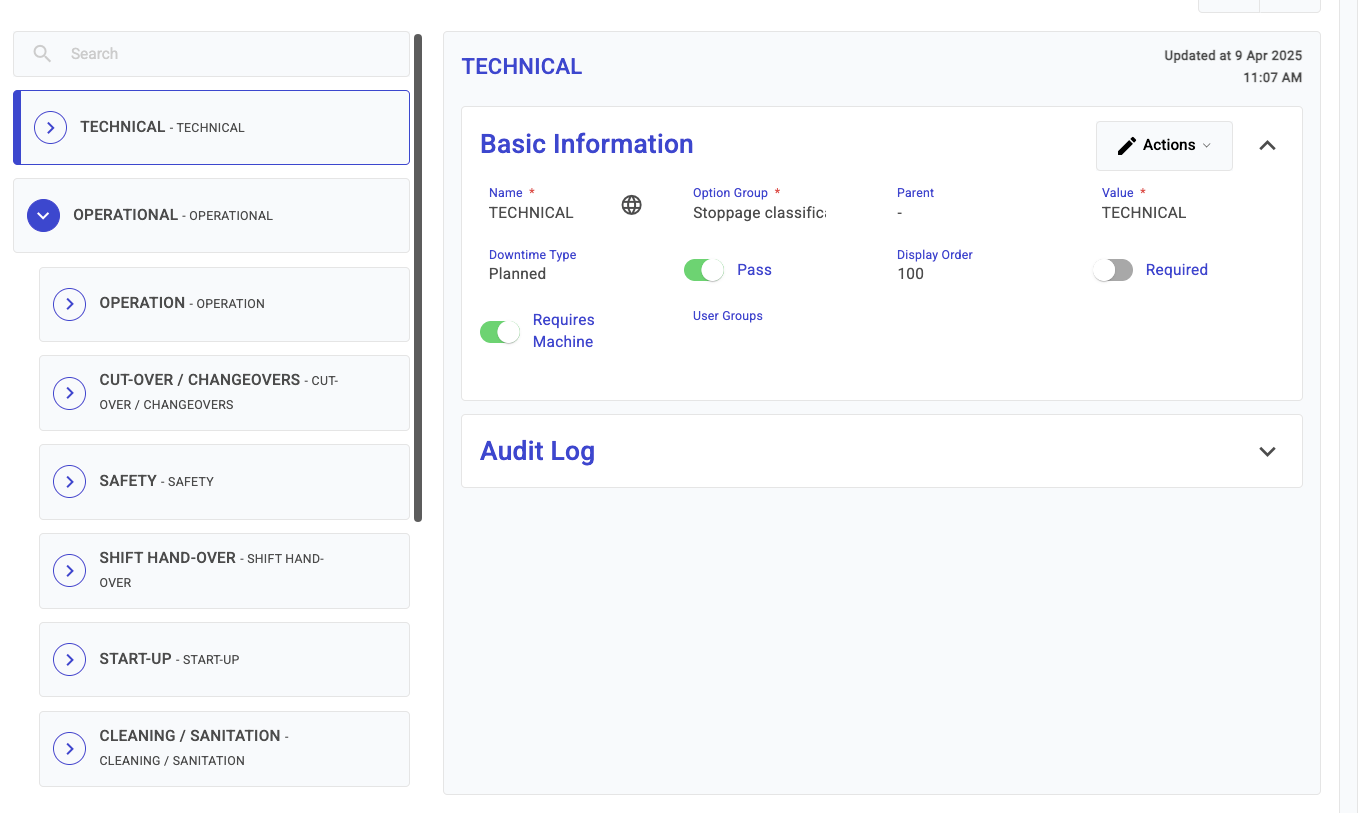
| **Tree** | Multi-level hierarchy. The selection at each level narrows down the choices available at the next level. Useful for structured classifications such as downtime reasons. |
| **Downtime Reason** | A Tree-style group used to populate the **eventReason** and **downtimeType** fields on a downtime record. Represents the business classification of a stoppage (e.g. Machine Fault, Unplanned Downtime). |
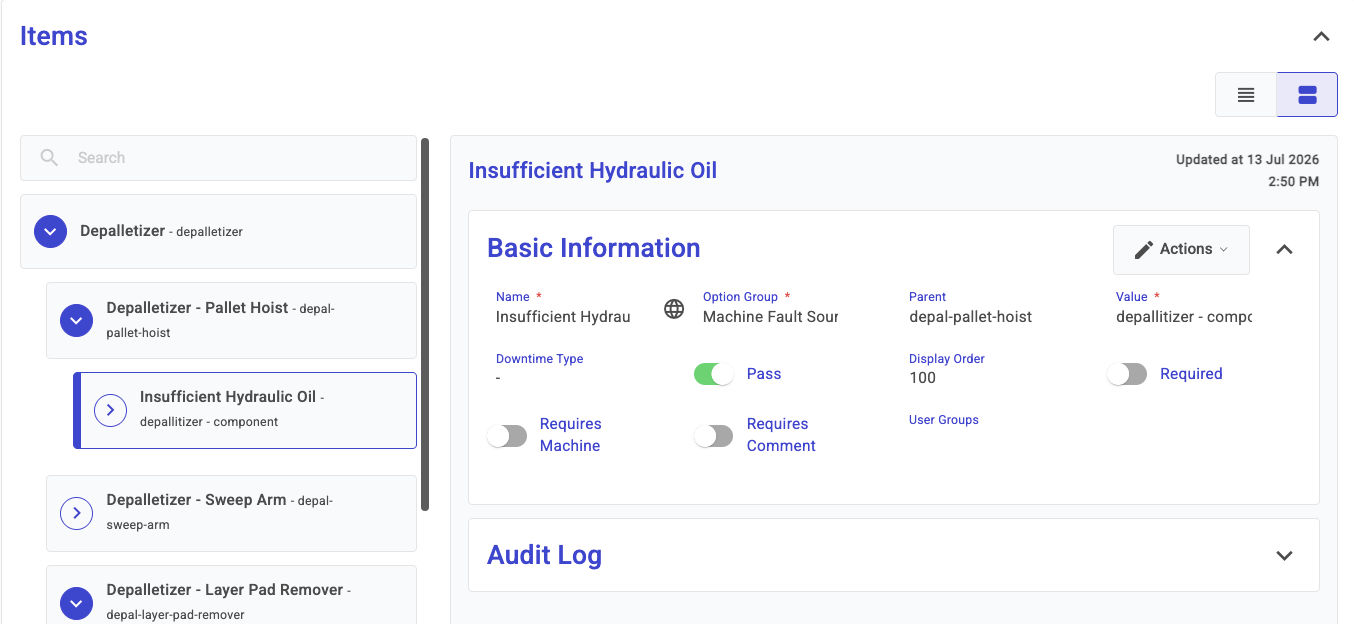
| **Downtime Machine** | A Tree-style group used to populate the **machine**, **component**, and **component fault** fields on a downtime record. Supports three levels of hierarchy: the Machine, the Component of the Machine, and the Fault of the Component. |
{% hint style="info" %}
**Downtime Reason** captures *why* the stoppage happened from a business perspective. **Downtime Machine** captures *what* piece of equipment was responsible. Both can be configured as separate option groups and assigned to an asset.
{% endhint %}
## Examples
### Downtime Reason Tree
A Downtime Reason Tree group provides a hierarchical selection for classifying stoppages by business category.
### Single Type
A Single type group presents a flat list where the user selects exactly one option.
### Tree Type
A Tree type group allows multi-level selections, where each level narrows the available choices.
### Multiple Type
A Multiple type group presents a flat list where the user can select more than one option.
### Downtime Machine Type
A Downtime Machine group provides a hierarchical selection for identifying the equipment responsible for a stoppage. The hierarchy follows three levels:
| Level | Description | Example |
| ---------------- | ---------------------------- | --------------- |
| **First level** | The Machine | Labeller |
| **Second level** | The Component of the Machine | Film Wrapper |
| **Third level** | The Fault of the Component | Bearing Failure |
Example configuration showing a three-level Downtime Machine option group
## Where Option Groups are Used
| Entity | Usage |
| --------------------------- | ------------------------------------------------------------------------------------------- |
| **Activity Template Items** | Assign an Option Group to an OPTION-type activity item to define its available choices. |
| **Assets** | Assign Downtime Reason and Downtime Machine groups to an asset for downtime classification. |
| **Boards** | Use an Option Group to define the choices available in an option-type board column. |