> For the complete documentation index, see [llms.txt](https://help.tillit.cloud/tillit/llms.txt). Markdown versions of documentation pages are available by appending `.md` to page URLs; this page is available as [Markdown](https://help.tillit.cloud/tillit/knowledge-base/setting-up-tillit/configuration/creating-and-using-report-templates/order-and-shift-reports.md).
# Order & Shift reports
## When to use which
Choosing between an Order and a Shift report depends on the scope of the data you need to capture:
* **Order Reports:** Produce a PDF using data from a single order. Use this when your data needs to be tied to a specific production run. Common uses include an end-of-order report for auditing or generating a certificate of analysis.
* **Shift Reports:** Report Templates with Data type set to **SHIFT** are scoped to a shift instance rather than an order. Use this to generate a report for a complete shift, even when no order was running—for example, an end-of-shift compliance report.
## Selecting Report Content
### Order and Shift reports
Besides the fields in the creation modal, you can filter which activities — and which of their activity items — are included.
#### Include All Activities
When enabled, newly added activities are automatically included. Choosing activities individually instead allows for activity item filtering.
You'll see a list of all available activities for visibility.
#### Choosing individual activities and items
Turn off Include All Activities to choose which activities are included in the report. Each activity has an expansion panel giving finer control over which items are included. Settings save on change.
## **Generating an Order Report**
Order Reports produce a PDF using data from a single order.
Once your template is created:
{% stepper %}
{% step %}
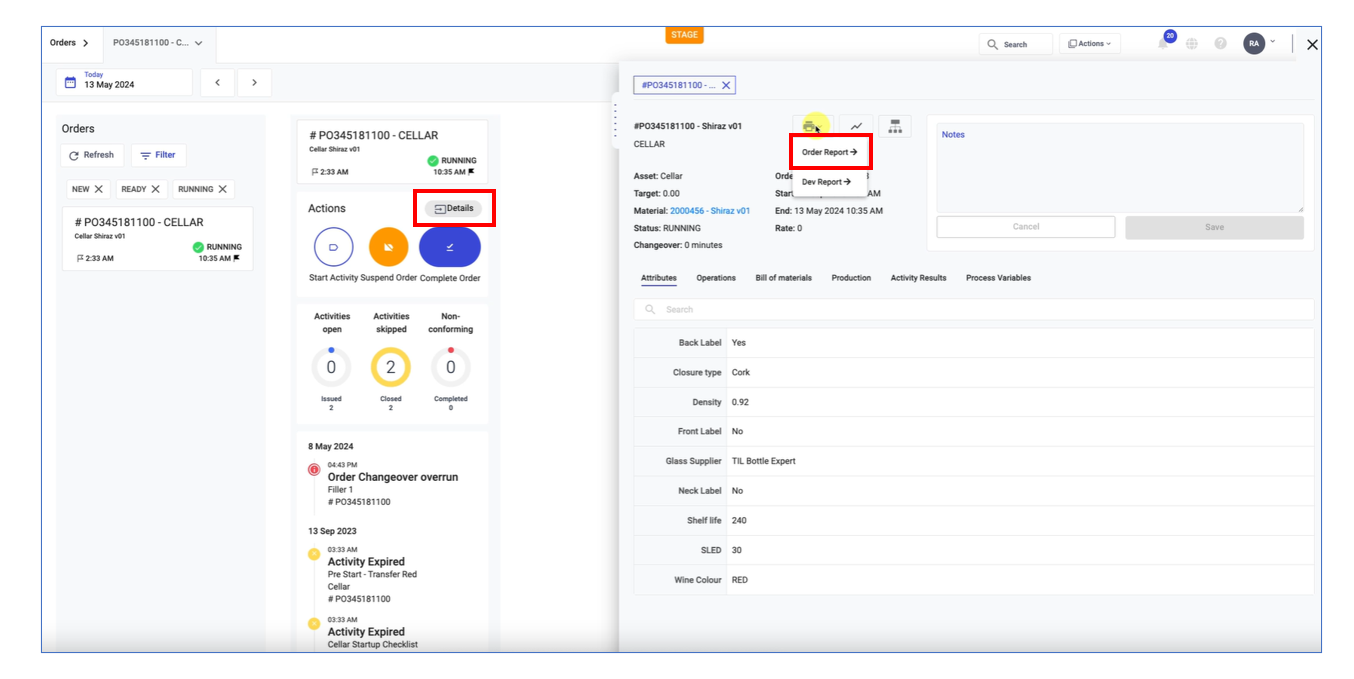
Go to **Orders**, choose an order, and click **Details**. Next to the order name is a printer icon button.
{% endstep %}
{% step %}
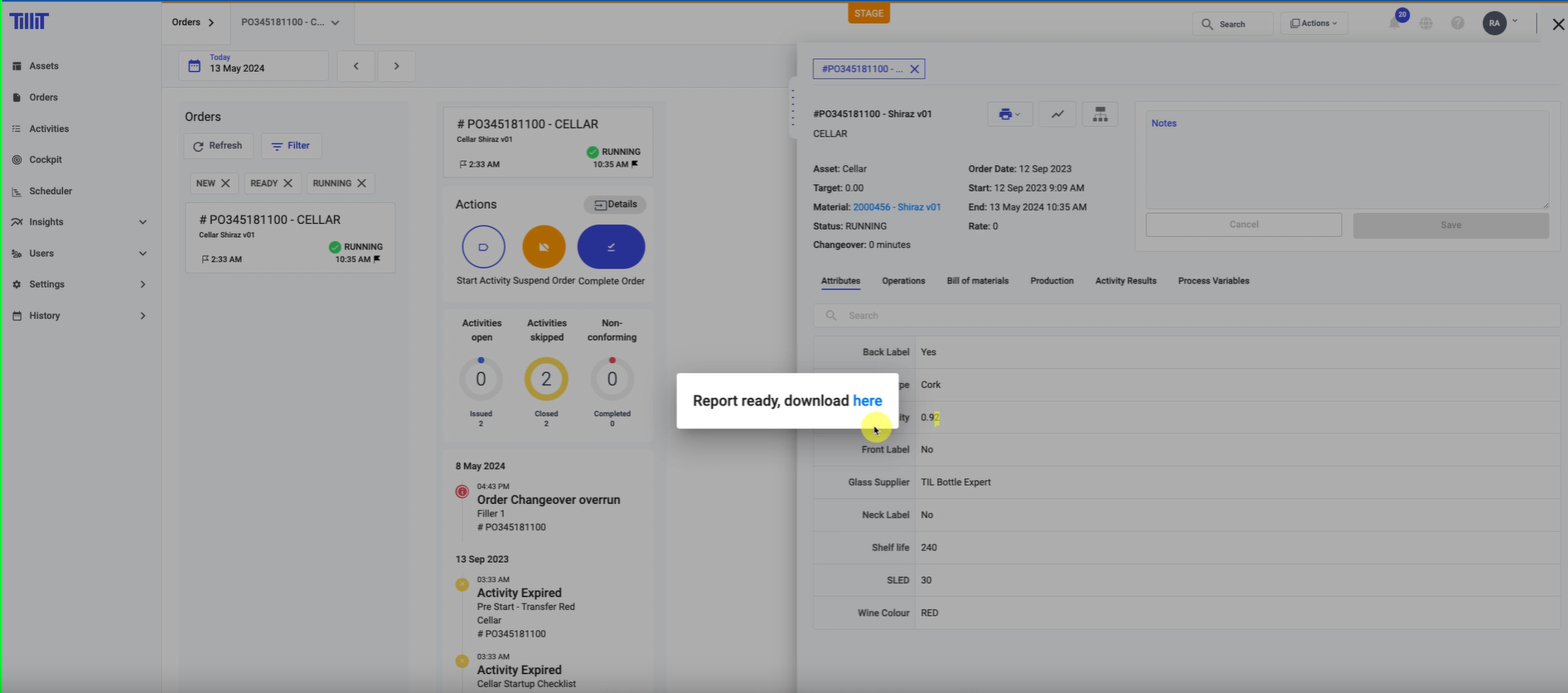
Clicking the printer icon opens a dialog letting you download the report.
{% endstep %}
{% endstepper %}
## **Generating a Shift Report**
{% hint style="info" %}
To have a shift report generated automatically when a shift ends, select this Report Template on a subscription with Event Type **Shift Ended**. See [User Subscriptions](/tillit/knowledge-base/users/manage/user-subscriptions.md).
{% endhint %}
Report Templates with **Data type** set to **SHIFT** are scoped to a shift instance rather than an order. Use this to generate a report for a complete shift, even when no order was running — for example, an end-of-shift compliance report.
When creating a Report Template, choose the **Shift Starter Template** option to start from a template already set up for shift data.
Choosing between Order Starter Template and Shift Starter Template