> For the complete documentation index, see [llms.txt](https://help.tillit.cloud/tillit/llms.txt). Markdown versions of documentation pages are available by appending `.md` to page URLs; this page is available as [Markdown](https://help.tillit.cloud/tillit/knowledge-base/setting-up-tillit/asset-hierarchy/status-colours.md).
# Status Colours
## Overview
Asset Status Colours allow you to customize the visual representation of machine states across the platform. By assigning specific colors to different machine statuses (such as Running, Stopped, or Maintenance), operators and managers can quickly identify asset performance, downtime reasons, and operational status at a glance.
## Navigation
{% hint style="info" %}
Go to ***Settings > Asset Hierarchy > Status Colors***
{% endhint %}
## Create a Status Colour
{% stepper %}
{% step %}
Click on **Create**.
{% endstep %}
{% step %}
Enter the Status as an exact match with the status that you have set in [Edge](/tillit/knowledge-base/setting-up-tillit/edge.md) and choose the colour you want.
{% endstep %}
{% step %}
Click **Save and close** (or **Save and open**) to finalise.
{% endstep %}
{% endstepper %}
### Fields
| Field | Description |
| ------ | --------------------------------------------------------------------------------------------------- |
| Status | The exact machine or asset status name (e.g., STOPPED, RUNNING) as configured in Edge. |
| Color | The display color assigned to visually represent this specific status across timelines and reports. |
### Where it reflects
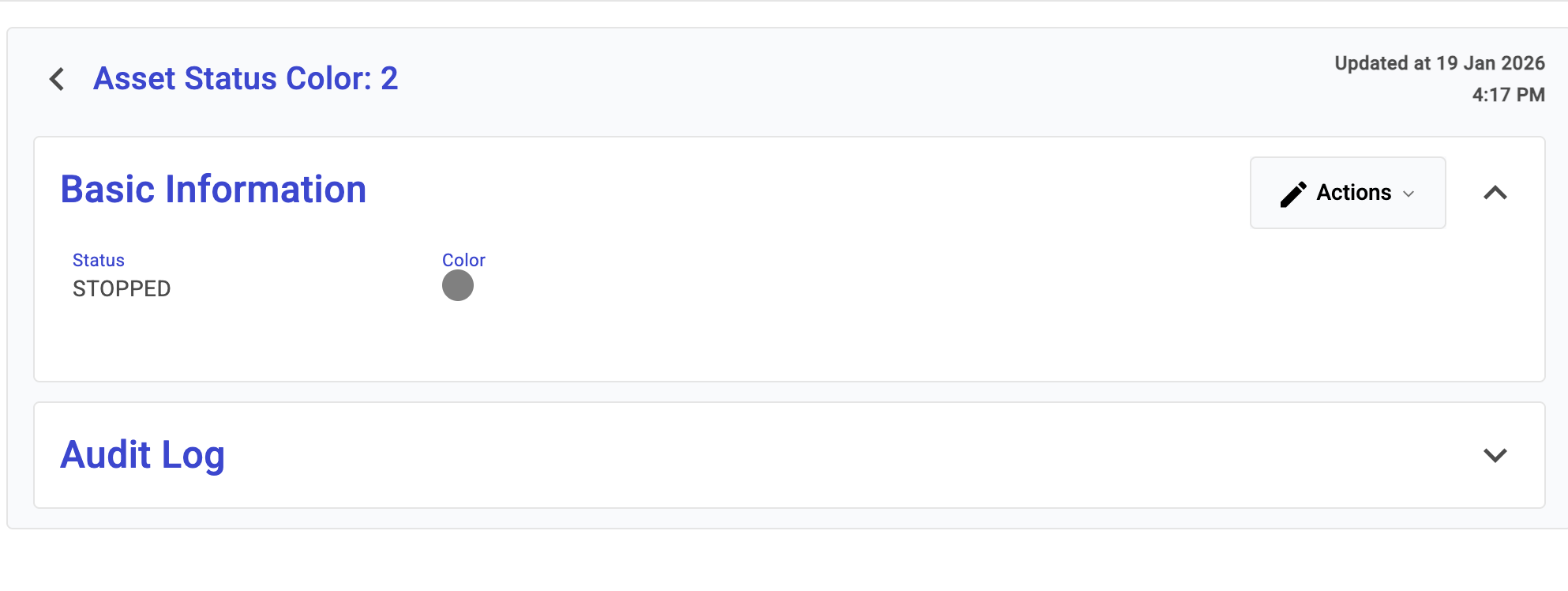
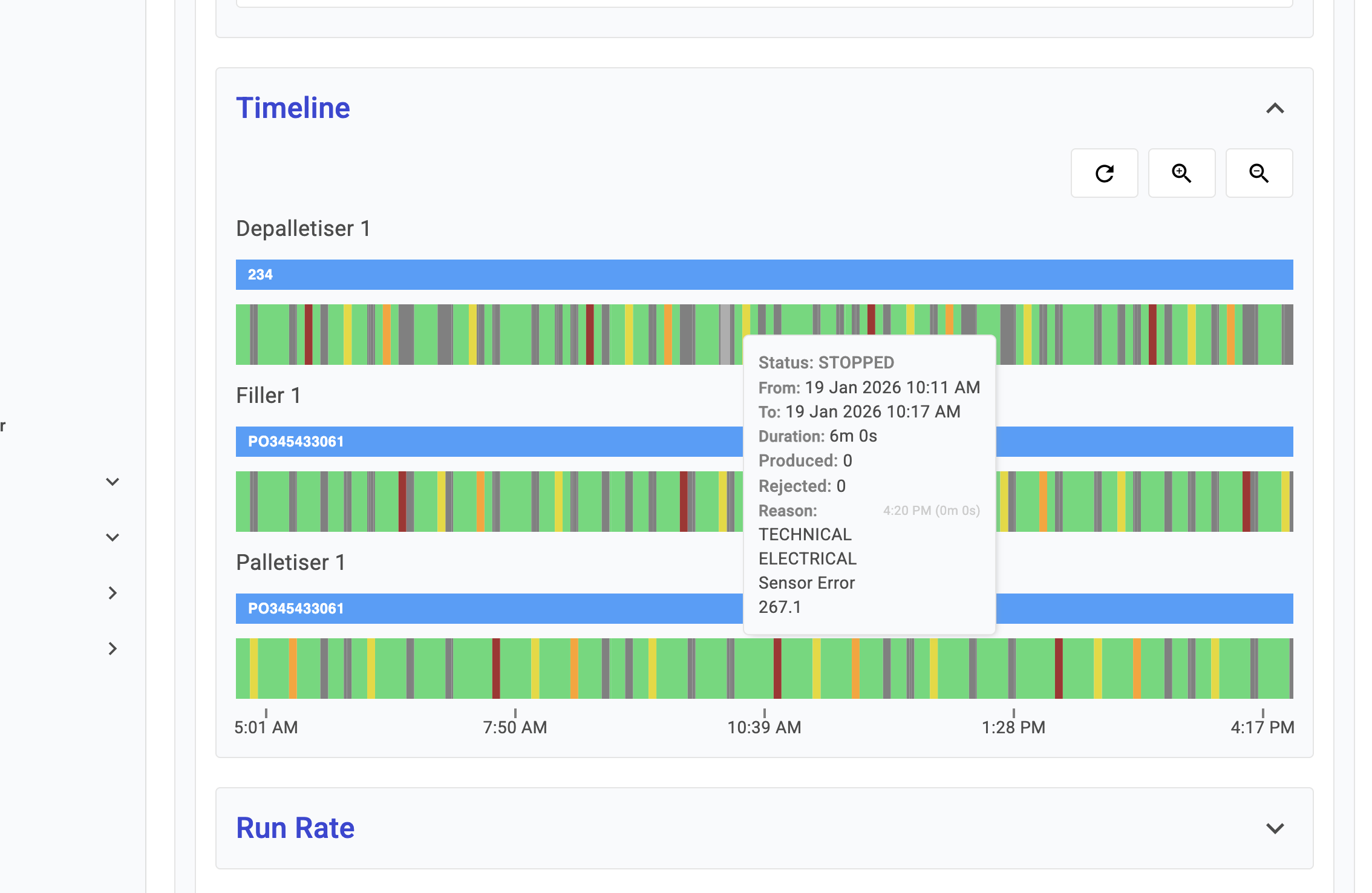
For example, here the STOPPED status is put as grey.
When you open the [Production Report](/tillit/knowledge-base/reports/production-report.md) timeline graphs, the statuses will be set the colour you have configured.