> For the complete documentation index, see [llms.txt](https://help.tillit.cloud/tillit/llms.txt). Markdown versions of documentation pages are available by appending `.md` to page URLs; this page is available as [Markdown](https://help.tillit.cloud/tillit/knowledge-base/setting-up-tillit/asset-hierarchy/order-template/order-template-dependency.md).
# Order Template Dependency
An order dependency defines the relationship between operations in your production line. For instance, on a filling line, the Filler operation depends on the Depalletiser operation. This dependency allows the system to track an infeed counter, which is compared against the quantity produced by the target asset. The difference between these values represents the reject count.
The Order Template dependency must be created and AutoReject must be enabled for this feature to function. To ensure accurate counts, reject totals are only calculated once all dependent orders are completed, preventing timing discrepancies from affecting the results.
## Navigation
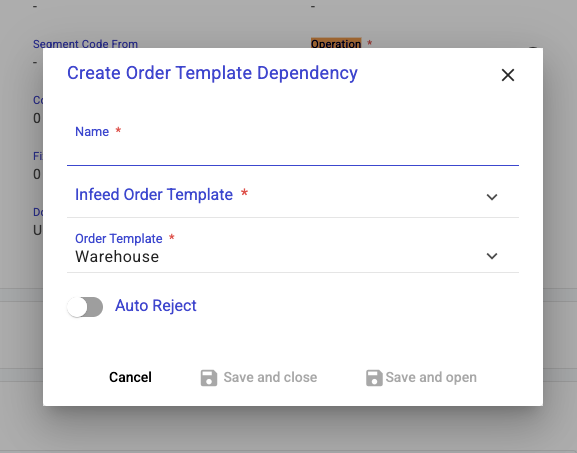
Navigate to Asset Hierarchy > Order Templates, select an Order Template, expand the Dependencies panel, and click Create.
| Name | Description |
| --------------------- | ----------------------------------------------------------------------------------- |
| Name | Dependency name |
| Infeed Order Template | The Order Template for orders that are to be finished before this Order Template |
| Order Template | Current Order Template, prefilled by the order template you are currently in. |
| Auto Reject | If enabled, then the reject totals will be calculated once all orders are completed |
## Examples
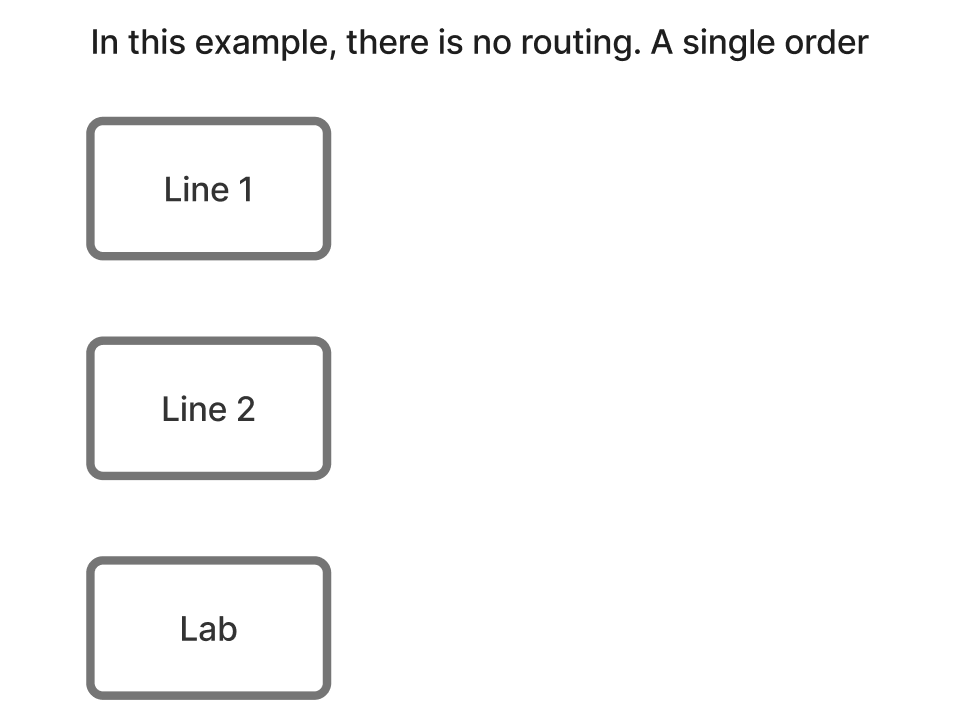
### No Route
Where assets just have a single order, hence no need to calculate dependent reject counts
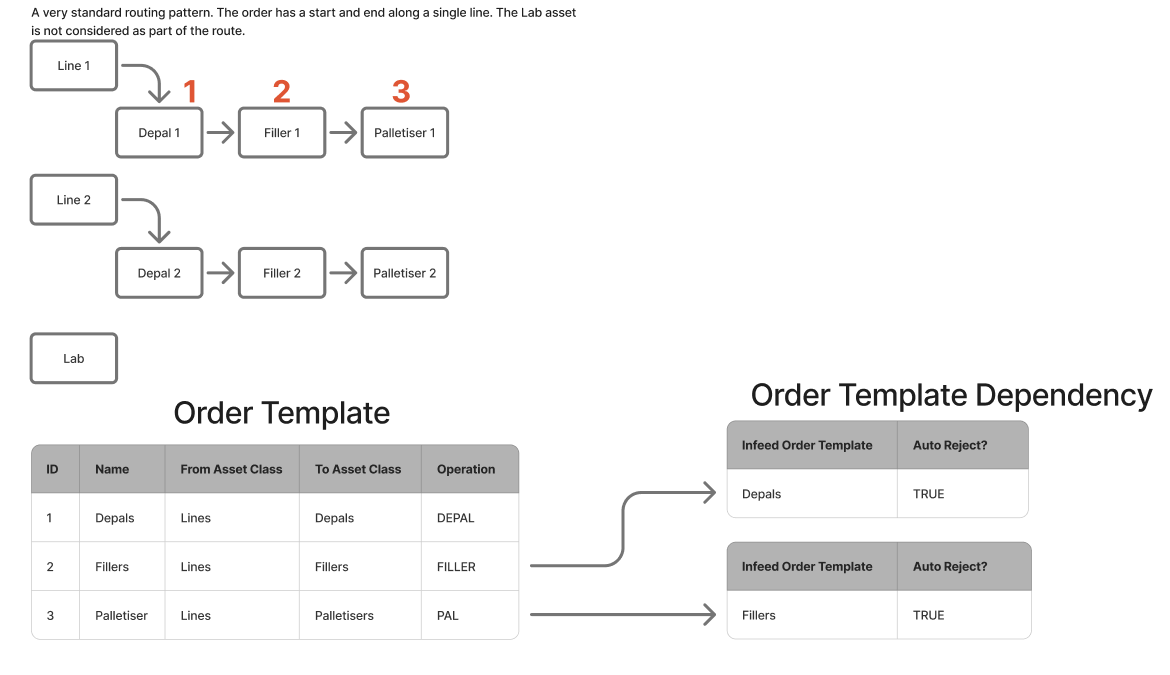
### Simple Route
Where you only have 1 single line of production throughout the assets.
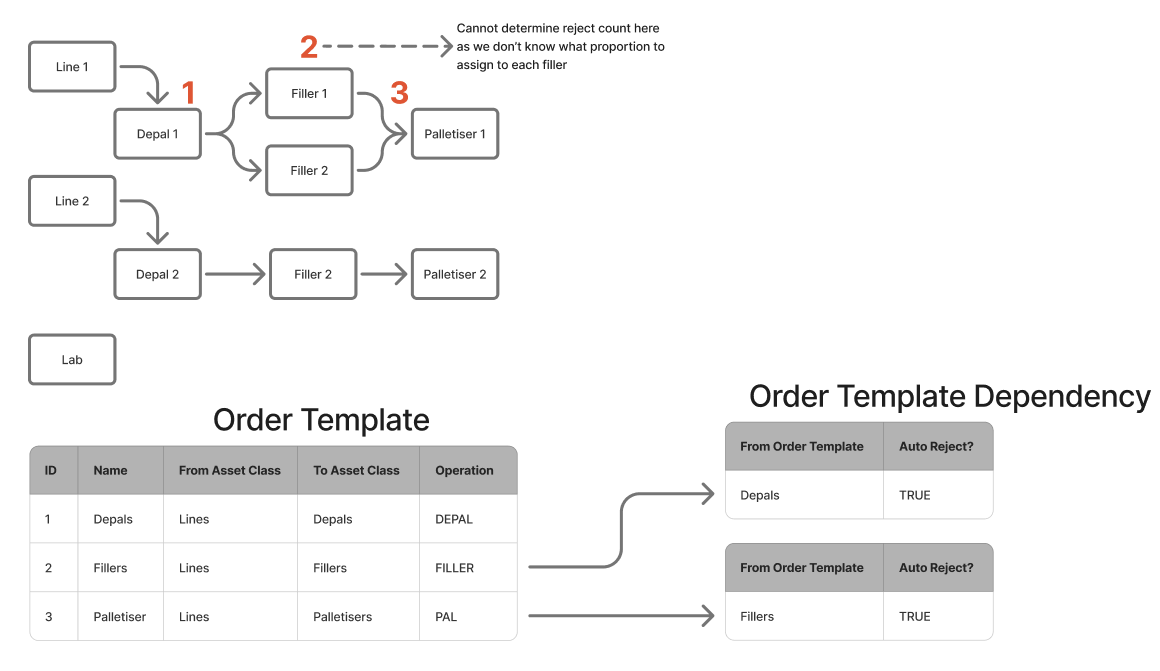
### Multiple Infeeds
Since we do not know the proportions to assign to multiple assets in a segment, reject counts will be calculated once all orders are completed.