> For the complete documentation index, see [llms.txt](https://help.tillit.cloud/tillit/llms.txt). Markdown versions of documentation pages are available by appending `.md` to page URLs; this page is available as [Markdown](https://help.tillit.cloud/tillit/knowledge-base/setting-up-tillit/articles/where-to-use-articles.md).

# Where to Use Articles

## Material Articles

Articles can be used to include information about materials. This information is then available across the platform where relevant to the material.

To attach an article to a material (e.g., Wine product 1):

{% stepper %}
{% step %}
Navigate to the desired material and click on the **Article** field.

<figure><img src="https://352909507-files.gitbook.io/~/files/v0/b/gitbook-x-prod.appspot.com/o/spaces%2FrNT40XJFAFlAhUX8CcQS%2Fuploads%2FbwWnfa36dFWvfAGEY65b%2Fimg.png?alt=media&amp;token=6462bebf-db7b-4380-b819-5eab9fbb18b1" alt=""><figcaption></figcaption></figure>
{% endstep %}

{% step %}
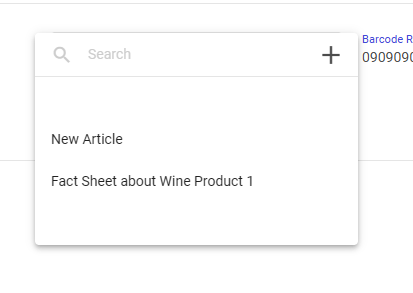
Select the Article (e.g., Fact Sheet about Wine Product 1) from the dropdown list, or click **+** to create a new one.

<figure><img src="https://352909507-files.gitbook.io/~/files/v0/b/gitbook-x-prod.appspot.com/o/spaces%2FrNT40XJFAFlAhUX8CcQS%2Fuploads%2Fgit-blob-5473bac01c2da21f433c050f9ede5f62b465d0dc%2Fimage.png?alt=media" alt=""><figcaption></figcaption></figure>
{% endstep %}
{% endstepper %}

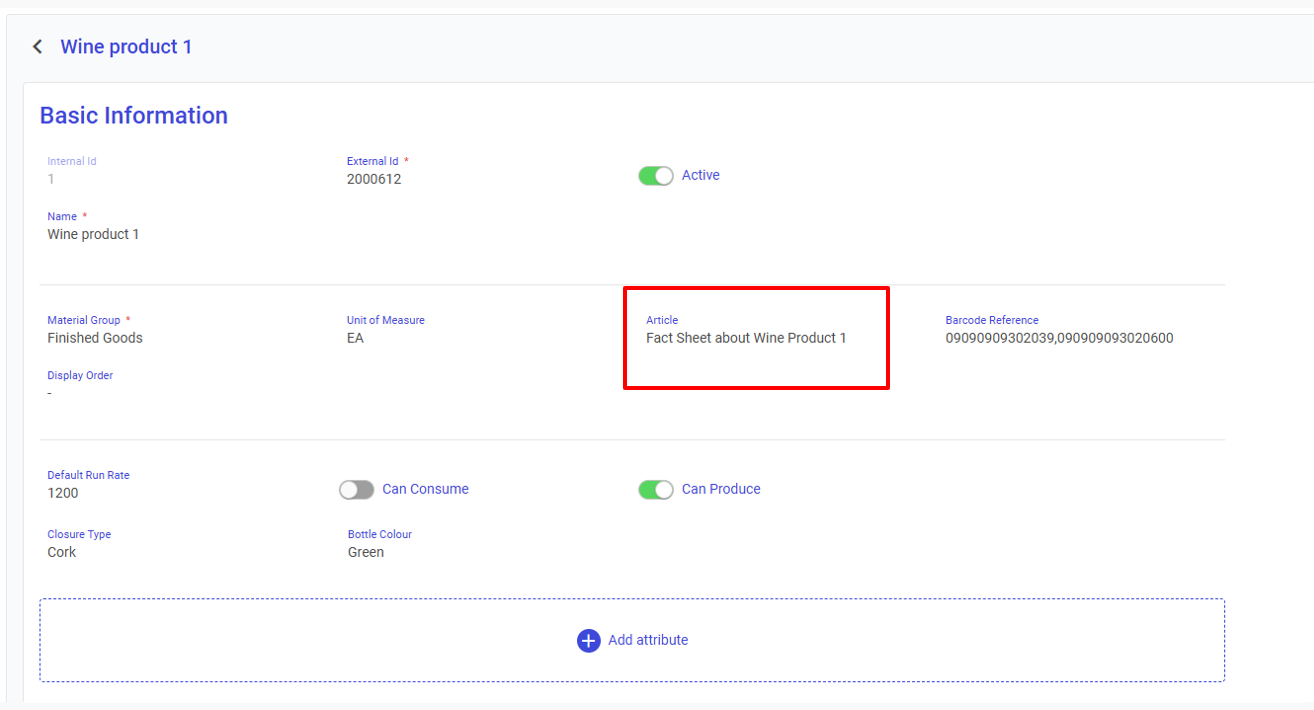
Once selected, the article name will appear in the material's **Basic Information** section.

<figure><img src="https://352909507-files.gitbook.io/~/files/v0/b/gitbook-x-prod.appspot.com/o/spaces%2FrNT40XJFAFlAhUX8CcQS%2Fuploads%2Fgit-blob-6baae2f82c1f86197a63858011f3b0ecbfb7c46d%2Fimage.png?alt=media" alt=""><figcaption></figcaption></figure>

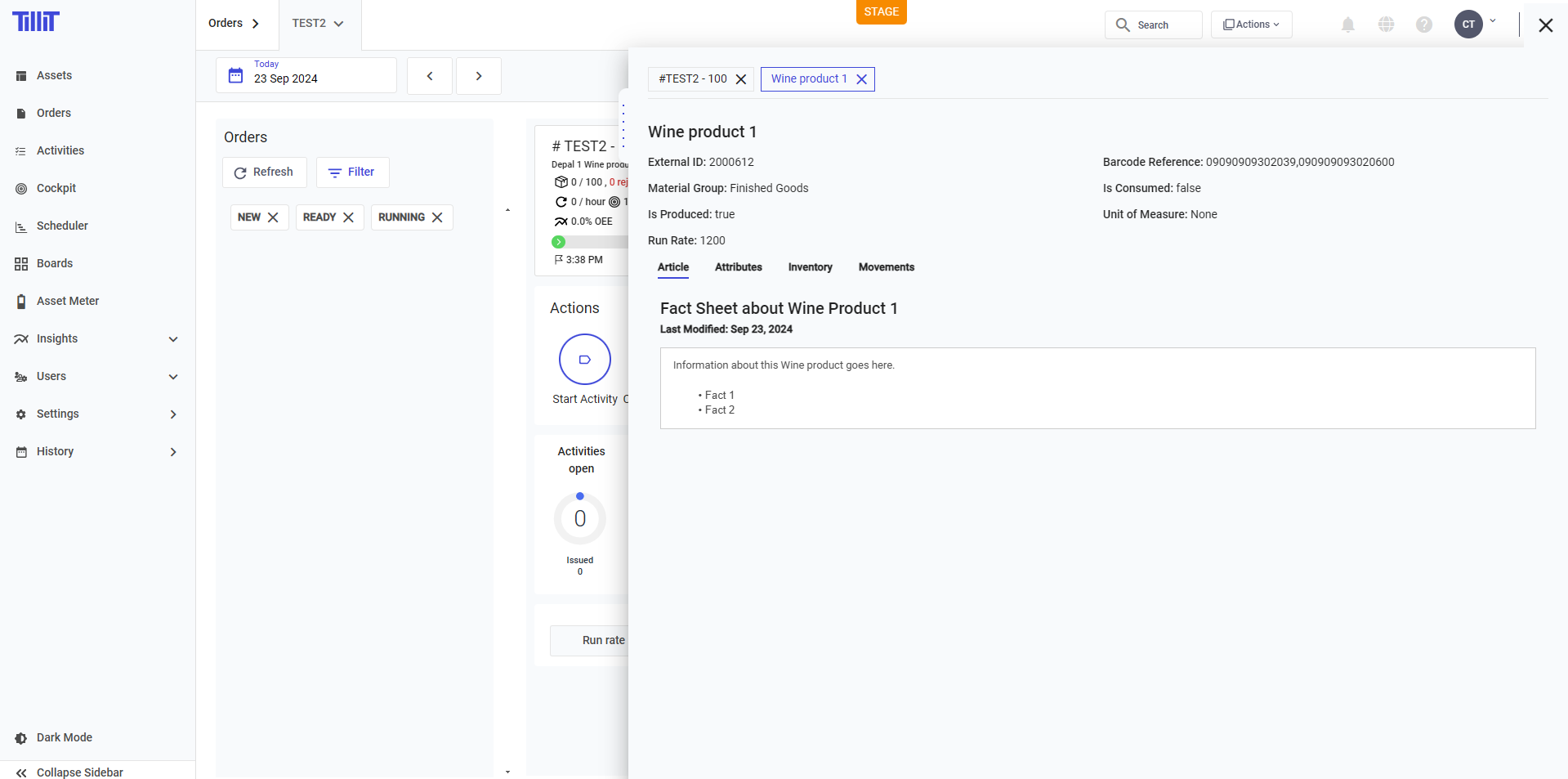
When an order produces this material, you can access the article from the sidebar in a few clicks.

<figure><img src="https://352909507-files.gitbook.io/~/files/v0/b/gitbook-x-prod.appspot.com/o/spaces%2FrNT40XJFAFlAhUX8CcQS%2Fuploads%2Fgit-blob-19543e5a89af4273104cf6cbf57c41d3c8fb4e5b%2Fimage.png?alt=media" alt=""><figcaption></figcaption></figure>

## Activity Template Articles

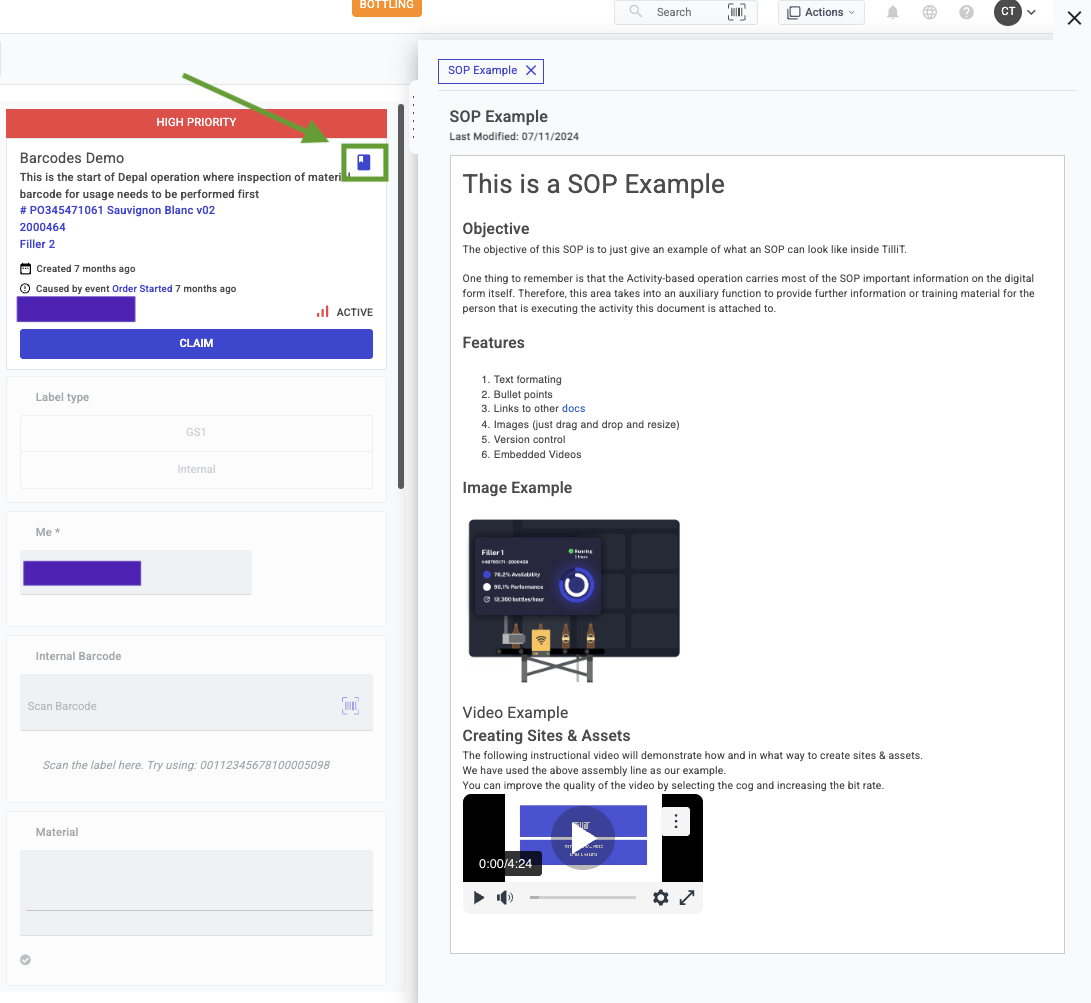
When you attach an article to your activity template. You will see an article icon next to the activity, clicking this will open the Article content on the side bar.

<figure><img src="https://352909507-files.gitbook.io/~/files/v0/b/gitbook-x-prod.appspot.com/o/spaces%2FrNT40XJFAFlAhUX8CcQS%2Fuploads%2Fgit-blob-a6a31fb4dcf2f1ca1d05cb2e6fb5f7a995fbf3d2%2Fimage.png?alt=media" alt=""><figcaption></figcaption></figure>

## Asset Articles

**Asset Articles** are articles attached to specific assets, surfacing relevant knowledge directly in context. One article can be linked to multiple assets.

### Viewing Asset Articles

You can view articles associated with an asset in two ways:

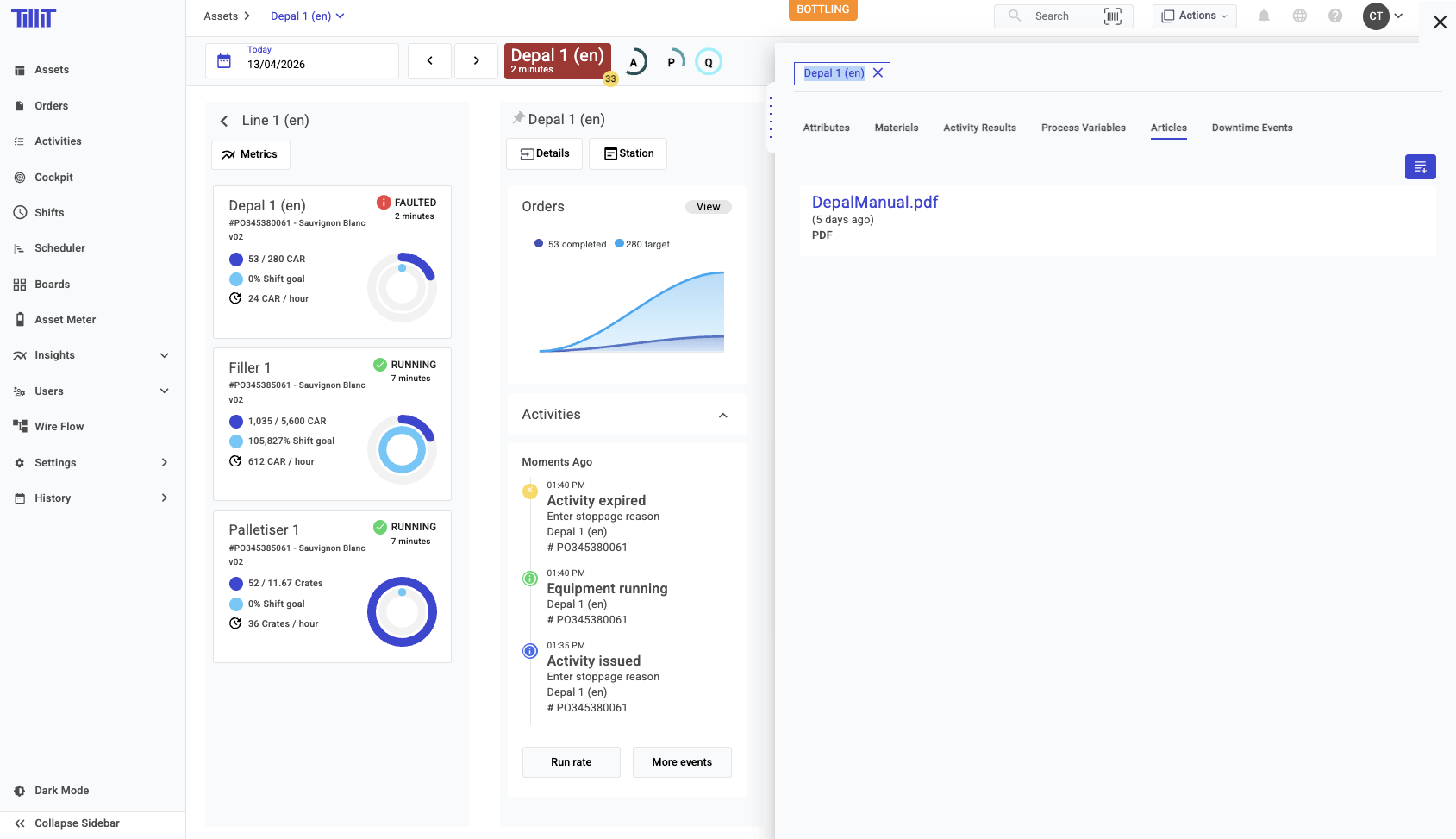
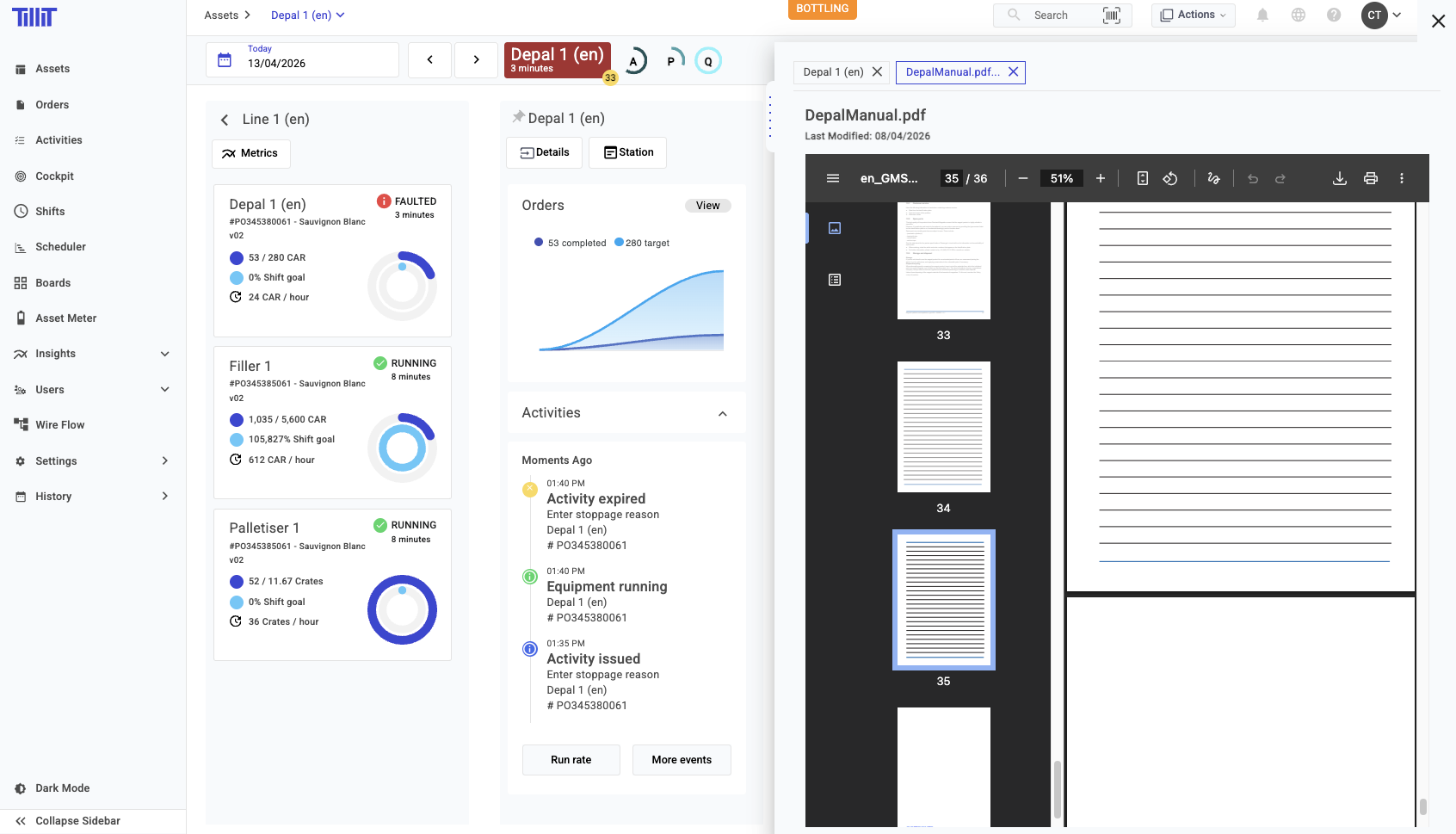
* Open an asset and click on the ***Articles*** tab in the Details sidebar.

<figure><img src="https://352909507-files.gitbook.io/~/files/v0/b/gitbook-x-prod.appspot.com/o/spaces%2FrNT40XJFAFlAhUX8CcQS%2Fuploads%2Fgit-blob-c1e4952fad9b826d889c8a2037c3e8dbd3490e57%2Fasset-articles-Pasted-image-20260413134743.png?alt=media" alt=""><figcaption></figcaption></figure>

<figure><img src="https://352909507-files.gitbook.io/~/files/v0/b/gitbook-x-prod.appspot.com/o/spaces%2FrNT40XJFAFlAhUX8CcQS%2Fuploads%2Fgit-blob-c35bf5beec61cb912fbb2767b5df96f5b3c18bd8%2Fasset-articles-Pasted-image-20260413134824.png?alt=media" alt=""><figcaption></figcaption></figure>

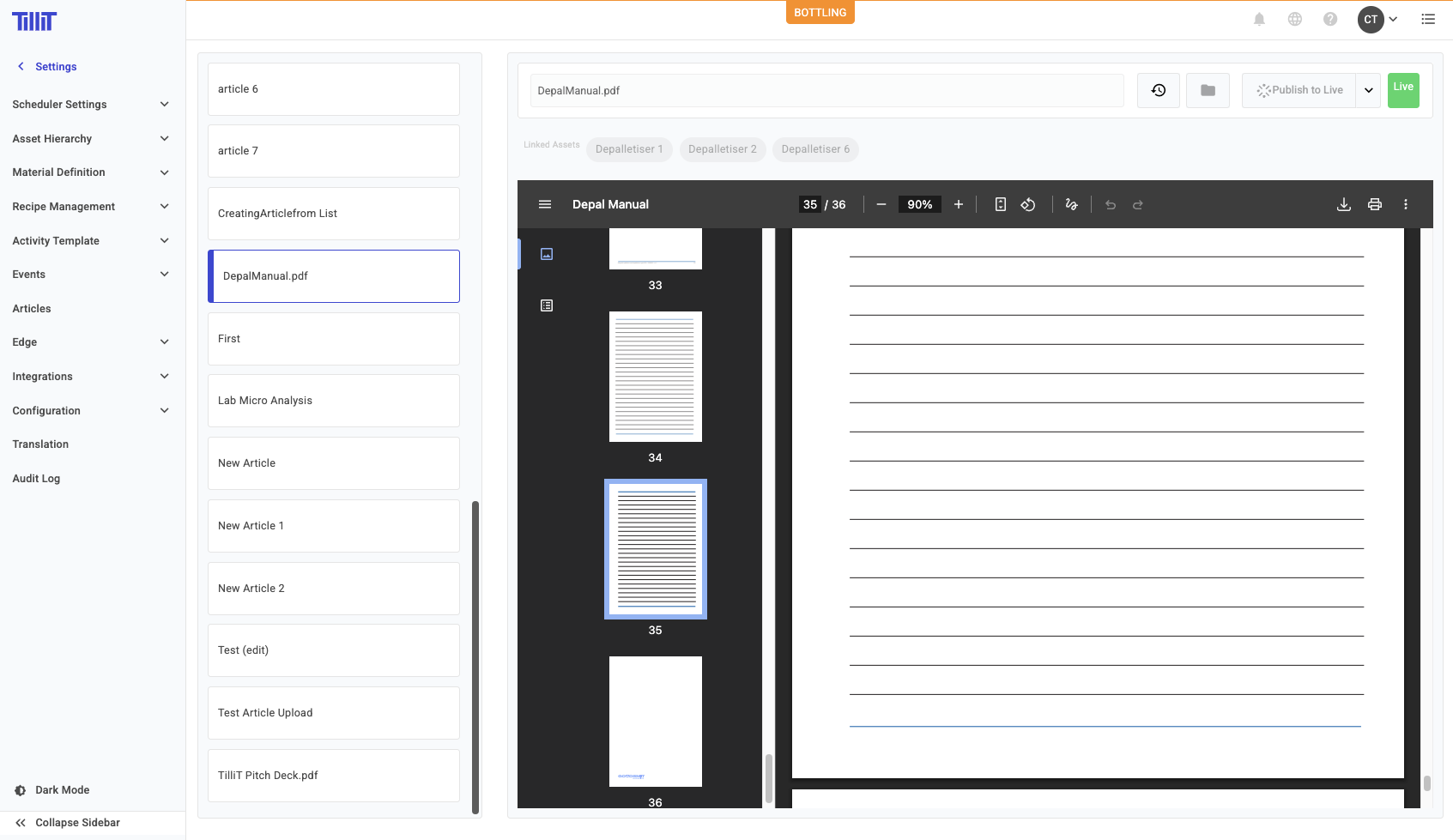
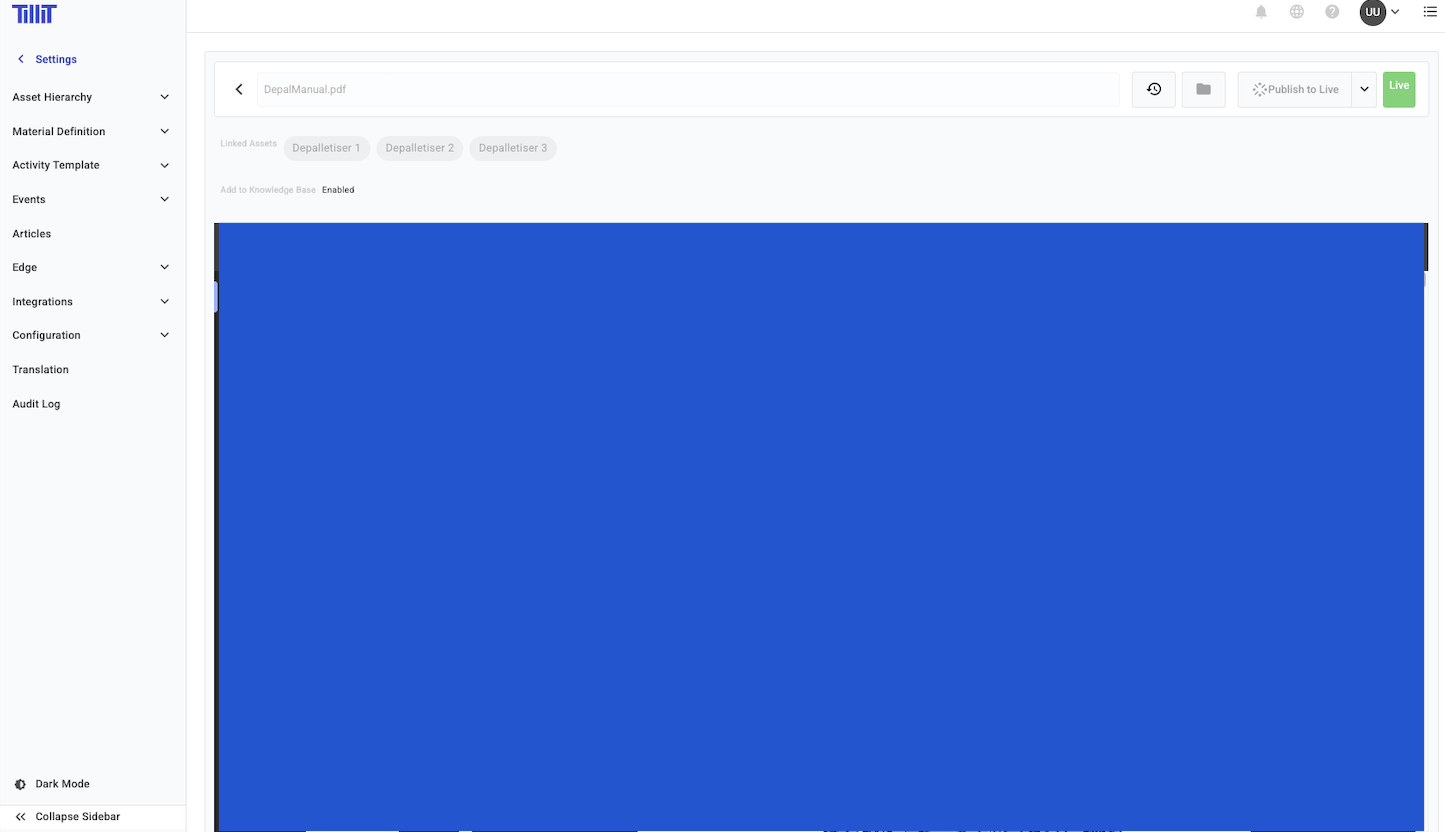
* Navigate to ***Settings > Articles*** in List or Tree view. Clicking on an article displays the assets it is associated with.

<figure><img src="https://352909507-files.gitbook.io/~/files/v0/b/gitbook-x-prod.appspot.com/o/spaces%2FrNT40XJFAFlAhUX8CcQS%2Fuploads%2Fgit-blob-53be3e7b6e441579968d389c8c20e1a1855fa549%2Fasset-articles-Pasted-image-20260413135001.png?alt=media" alt=""><figcaption></figcaption></figure>

### Uploading Asset Articles

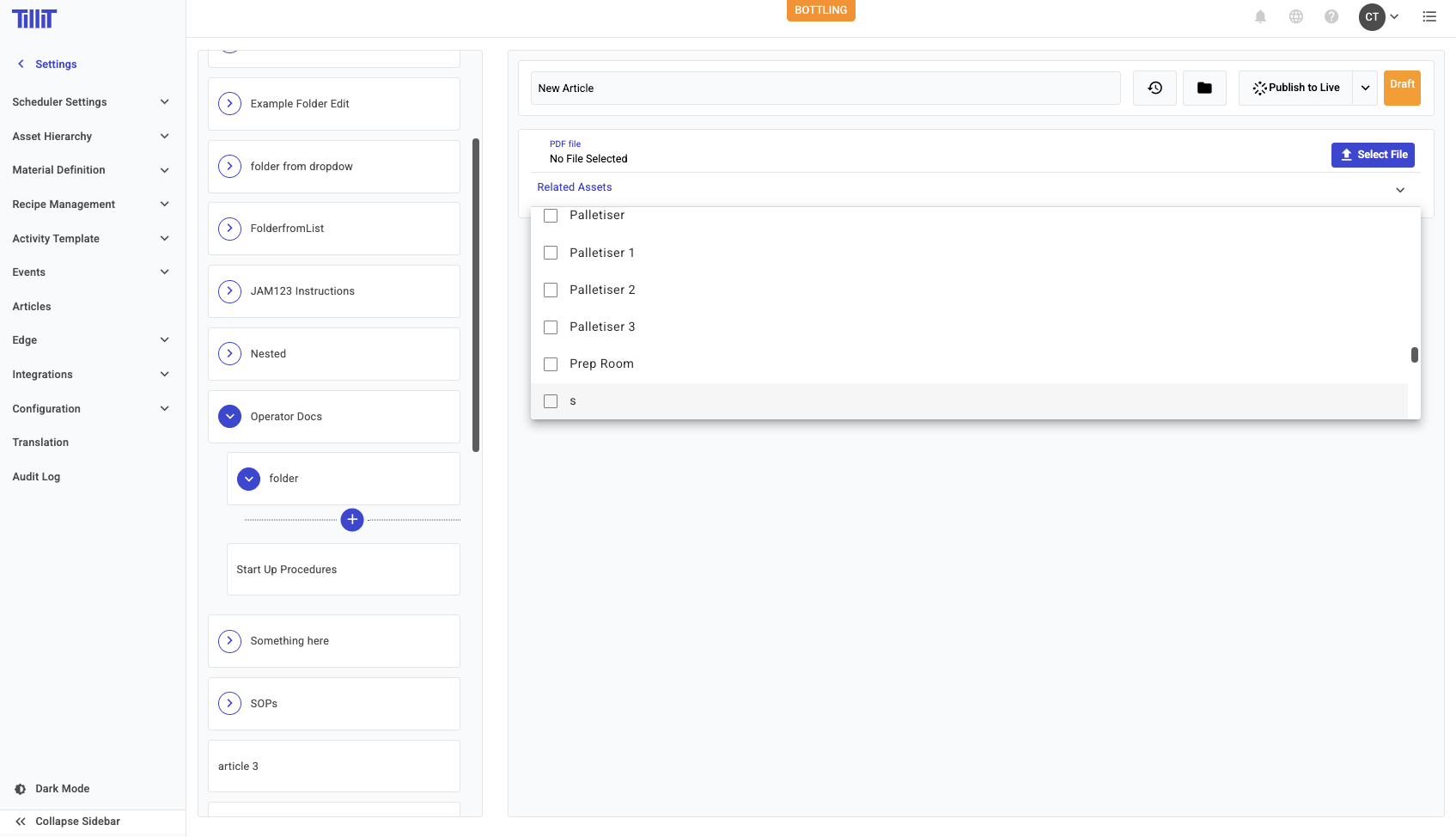
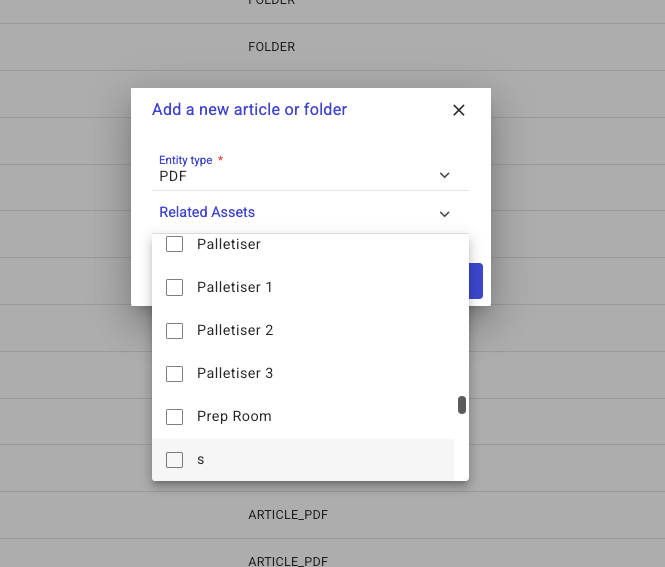
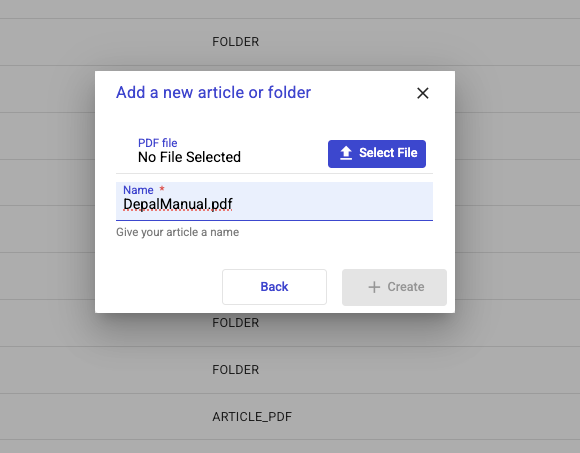
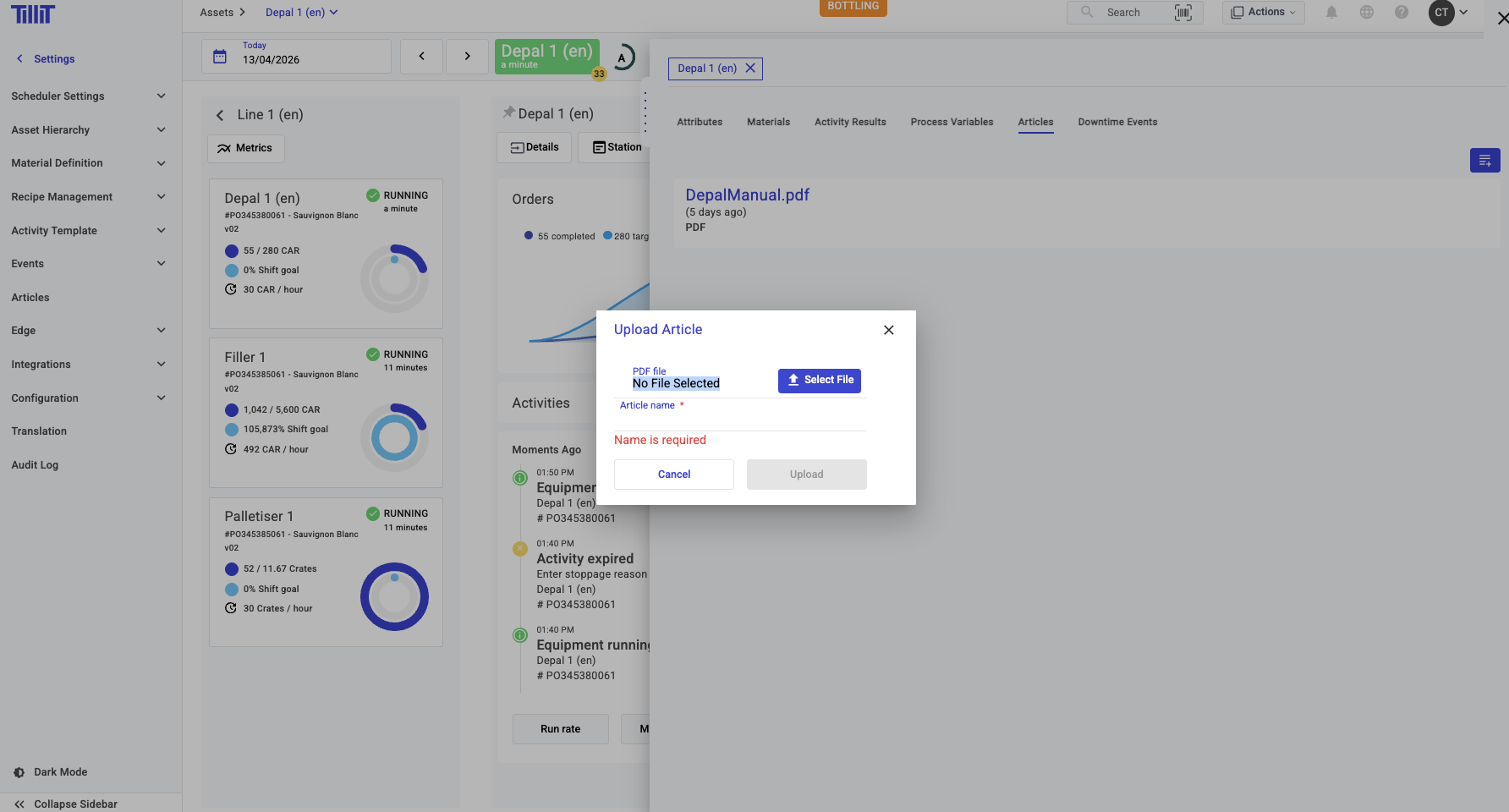
Articles can be uploaded and associated with assets from ***Settings > Articles*** or directly from the ***Asset Details*** side panel.

<figure><img src="https://352909507-files.gitbook.io/~/files/v0/b/gitbook-x-prod.appspot.com/o/spaces%2FrNT40XJFAFlAhUX8CcQS%2Fuploads%2Fgit-blob-57a4ad062f7e3aafd2a00efca4dc8d015c57da88%2Fasset-articles-Pasted-image-20260413135031.png?alt=media" alt=""><figcaption></figcaption></figure>

<figure><img src="https://352909507-files.gitbook.io/~/files/v0/b/gitbook-x-prod.appspot.com/o/spaces%2FrNT40XJFAFlAhUX8CcQS%2Fuploads%2Fgit-blob-14996ceefb4ac5da693e8bb55f43d0c42adafba6%2Fasset-articles-Pasted-image-20260413135116.png?alt=media" alt=""><figcaption></figcaption></figure>

<figure><img src="https://352909507-files.gitbook.io/~/files/v0/b/gitbook-x-prod.appspot.com/o/spaces%2FrNT40XJFAFlAhUX8CcQS%2Fuploads%2Fgit-blob-946da52f267d30c167fd21e65058c772001d5891%2Fasset-articles-Pasted-image-20260413135128.png?alt=media" alt=""><figcaption></figcaption></figure>

<figure><img src="https://352909507-files.gitbook.io/~/files/v0/b/gitbook-x-prod.appspot.com/o/spaces%2FrNT40XJFAFlAhUX8CcQS%2Fuploads%2Fgit-blob-1673095f6e34e8f0fe0a926c759935668ad5b84d%2Fasset-articles-Pasted-image-20260413135209.png?alt=media" alt=""><figcaption></figcaption></figure>

### Adding Asset Articles to the Knowledge Base

{% hint style="info" %}
This feature is only available if you have access to the AI Knowledge Base feature. Contact TilliT for more information.
{% endhint %}

When uploading an Asset Article, you can add it to the Knowledge Base so that the **Activity Assistant** can draw from it when answering questions. To do this, tick the ***Add to Knowledge Base*** checkbox during upload.

<figure><img src="https://352909507-files.gitbook.io/~/files/v0/b/gitbook-x-prod.appspot.com/o/spaces%2FrNT40XJFAFlAhUX8CcQS%2Fuploads%2Fgit-blob-a0220335e57a3a05d353b5226348162a42381f63%2Fasset-articles-Pasted-image-20260413135552.png?alt=media" alt=""><figcaption></figcaption></figure>

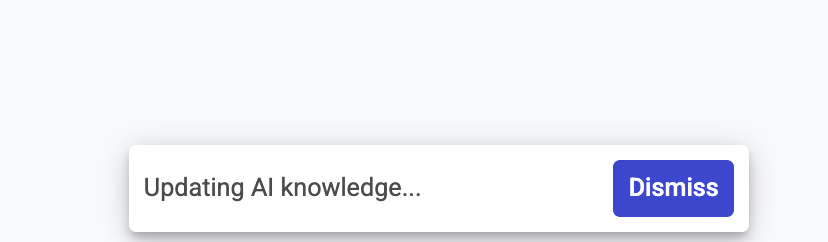
TilliT will notify you with a status message while the Knowledge Base is being updated, and again when the upload is complete.

<figure><img src="https://352909507-files.gitbook.io/~/files/v0/b/gitbook-x-prod.appspot.com/o/spaces%2FrNT40XJFAFlAhUX8CcQS%2Fuploads%2Fgit-blob-72926c5b21172525c06aaf294209905f54a5bd15%2Fasset-articles-Pasted-image-20260413135725.png?alt=media" alt=""><figcaption></figcaption></figure>

<figure><img src="https://352909507-files.gitbook.io/~/files/v0/b/gitbook-x-prod.appspot.com/o/spaces%2FrNT40XJFAFlAhUX8CcQS%2Fuploads%2Fgit-blob-3c8ad7ed403fdde0011dd2c46a23b9eb47c87662%2Fasset-articles-Pasted-image-20260413135742.png?alt=media" alt=""><figcaption></figcaption></figure>