> For the complete documentation index, see [llms.txt](https://help.tillit.cloud/tillit/llms.txt). Markdown versions of documentation pages are available by appending `.md` to page URLs; this page is available as [Markdown](https://help.tillit.cloud/tillit/knowledge-base/setting-up-tillit/activity-templates/activity/elements/element-types/board-item.md).
# Board Item
Boards is a powerful, flexible management tool in TilliT, designed to track and manage various tasks, such as non-conformance reports (NCR), customer complaints, action plans, and more.
{% hint style="warning" %}
To understand what this activity item type does, make sure you understand what boards do and have configured a board first.
See this documentation - [Boards](/tillit/knowledge-base/boards.md)
{% endhint %}
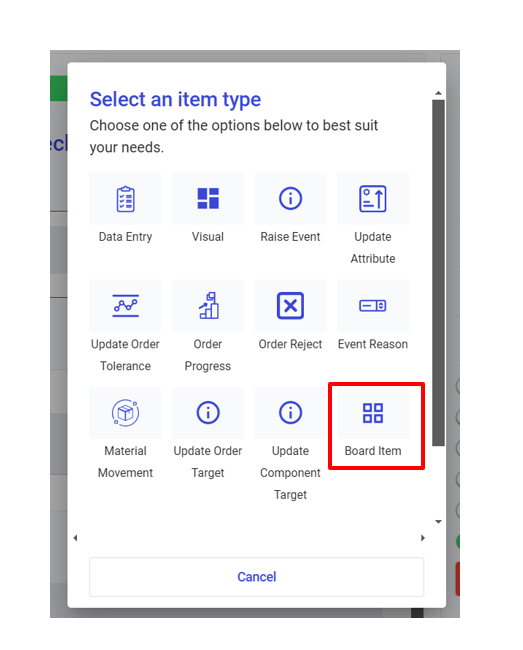
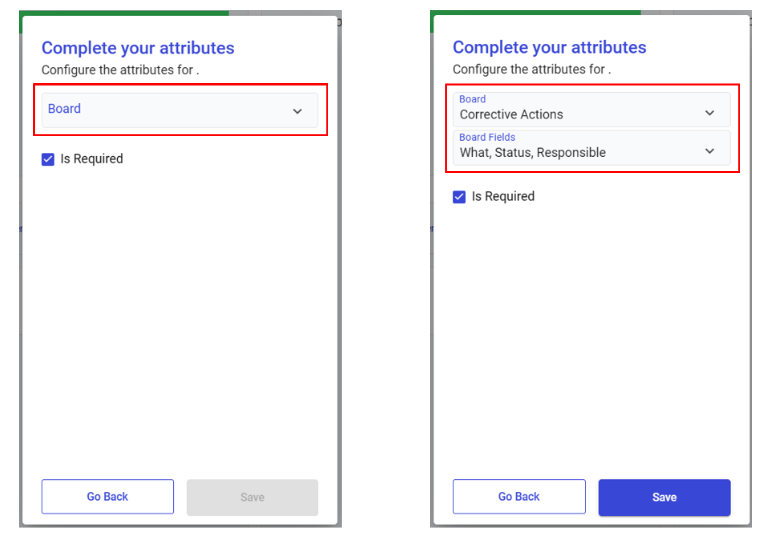
After clicking on the Board Item type, you can then choose the Board and also select what Board Fields will be available for input on the activity form.
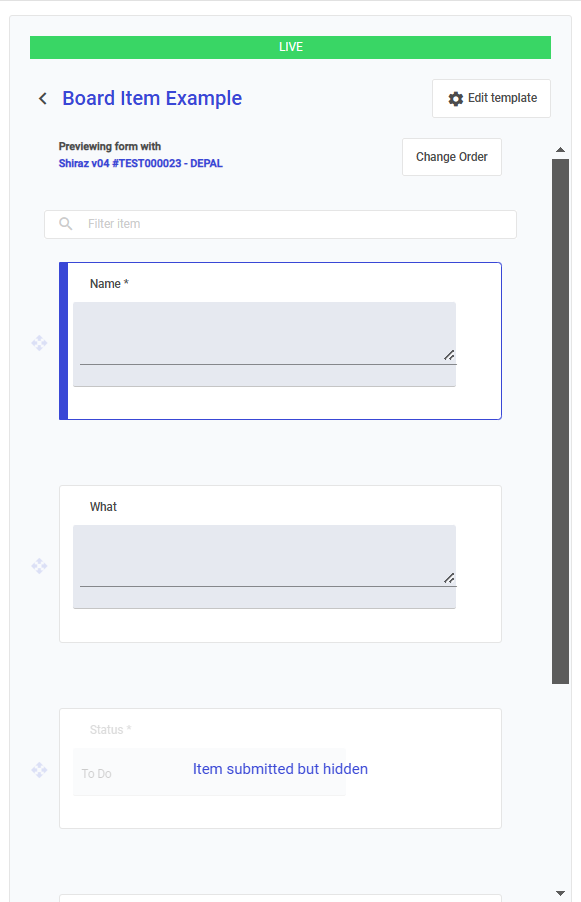
The activity template will then be populated with the Board item input fields as below