> For the complete documentation index, see [llms.txt](https://help.tillit.cloud/tillit/llms.txt). Markdown versions of documentation pages are available by appending `.md` to page URLs; this page is available as [Markdown](https://help.tillit.cloud/tillit/knowledge-base/scheduler/data-templates/availability.md).
# Availability
Create shift patterns and availability templates for equipment and personnel.
Availability templates model time in structured patterns that can be applied to equipment and personnel. They typically represent shift patterns but can model any recurring time-based schedule.
## Navigation
***Scheduler*** > ***Data Templates*** > select a template > ***Availability***
## Creating an Availability Template
{% stepper %}
{% step %}
Click the **+** button.
{% endstep %}
{% step %}
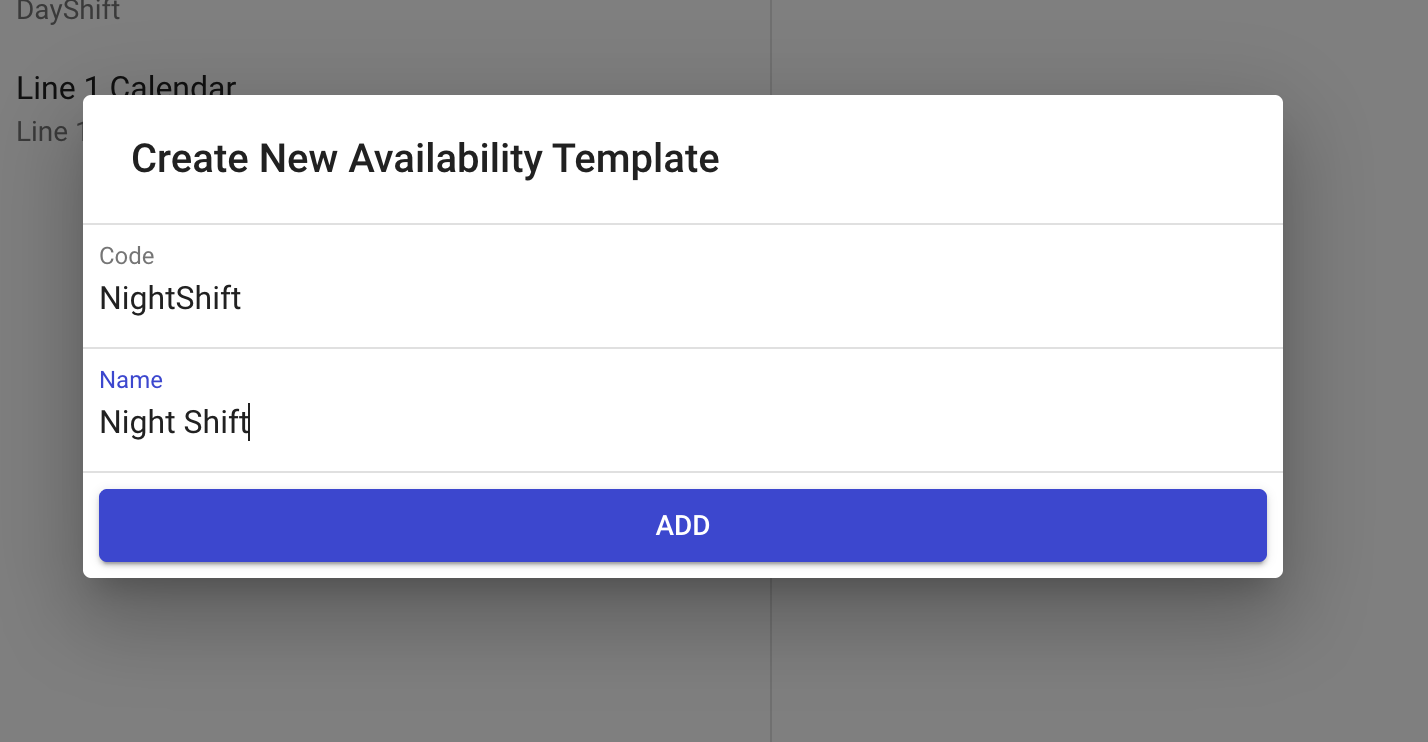
Enter a **Code** and **Description** for the template.
{% endstep %}
{% endstepper %}
### Modelling Shifts and Breaks
After creating a template, build the time blocks for each day using the graphical drag-and-drop calendar:
* Click and drag on a day to create an available time block.
* Add meal breaks and other scheduled stoppages by leaving gaps between blocks.
* No production will be possible for the assigned resource during unavailable periods.
{% hint style="info" %}
If you cannot drag a shift block exactly to midnight, create the block first, then click and drag the entire block — you will be able to drag it to the midnight position.
{% endhint %}
## Deleting Availability Zones
Click on the blue availability zone and press the **Delete** key on your keyboard.