> For the complete documentation index, see [llms.txt](https://help.tillit.cloud/tillit/llms.txt). Markdown versions of documentation pages are available by appending `.md` to page URLs; this page is available as [Markdown](https://help.tillit.cloud/tillit/knowledge-base/scheduler/data-templates.md).
# Data Templates
Configure master data shared across scheduling scenarios.
Data Templates are reusable sets of master data that define the operational model for your scheduling scenarios. A data template contains configuration for equipment, personnel, materials, operations, availability, changeovers, and optimisation profiles.
## Navigation
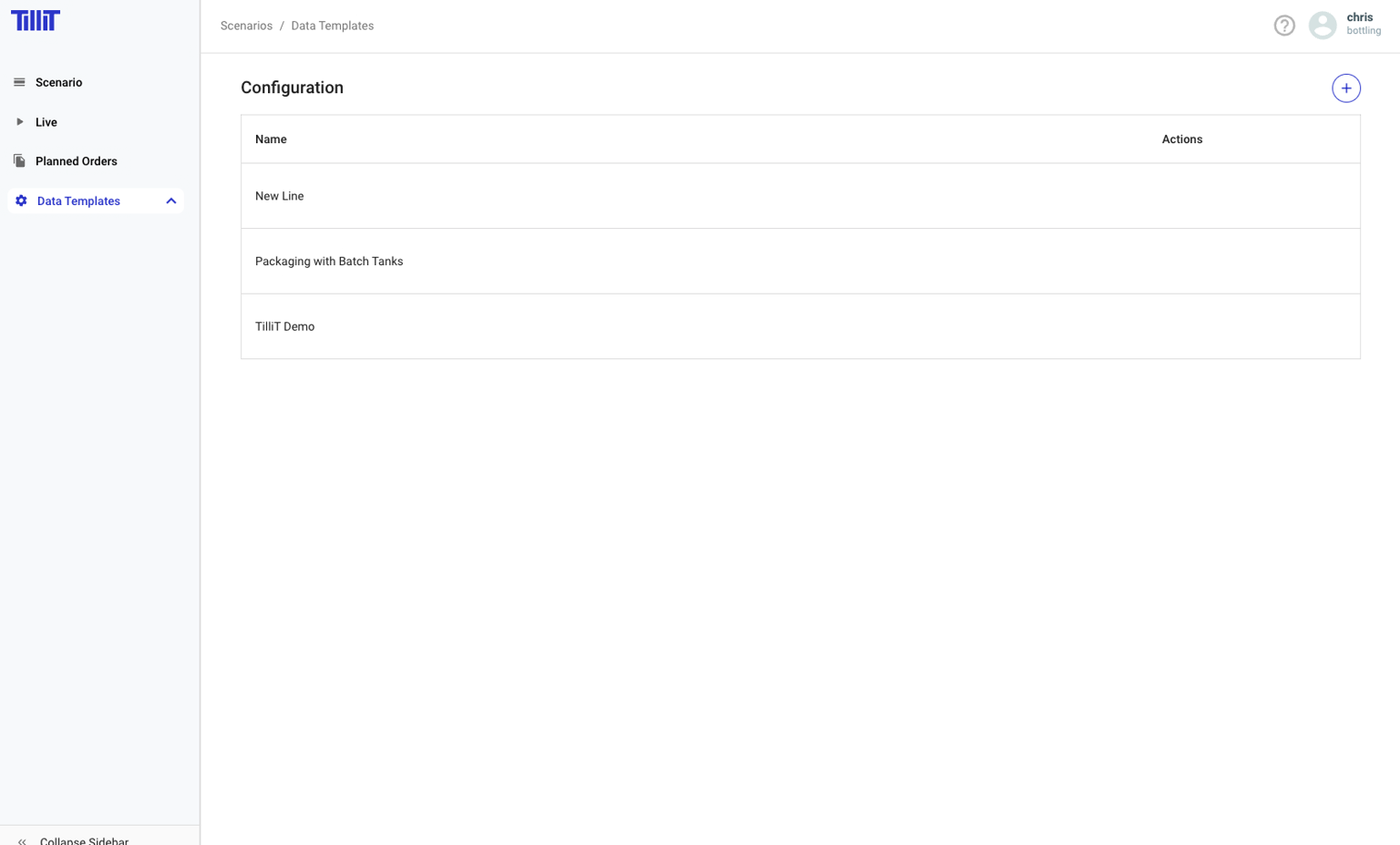
***Scheduler*** > ***Data Templates***
{% hint style="info" %}
If the Data Templates list is blank, make sure you have selected a location. Click your profile icon and choose **Select Location**.
{% endhint %}
## Creating a Data Template
{% stepper %}
{% step %}
Click **Data Templates** in the sidebar.
{% endstep %}
{% step %}
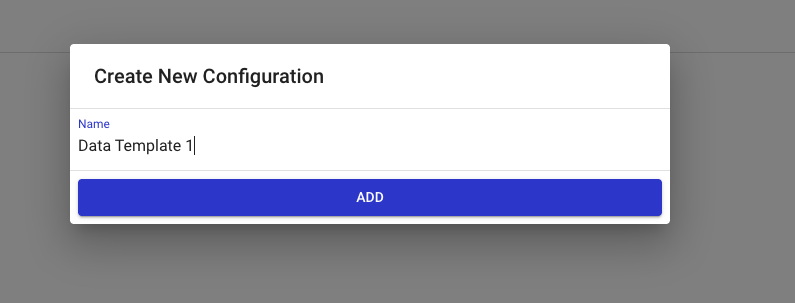
Click the **+** button.
{% endstep %}
{% step %}
Enter a name for the data template.
{% endstep %}
{% endstepper %}
## Editing a Data Template
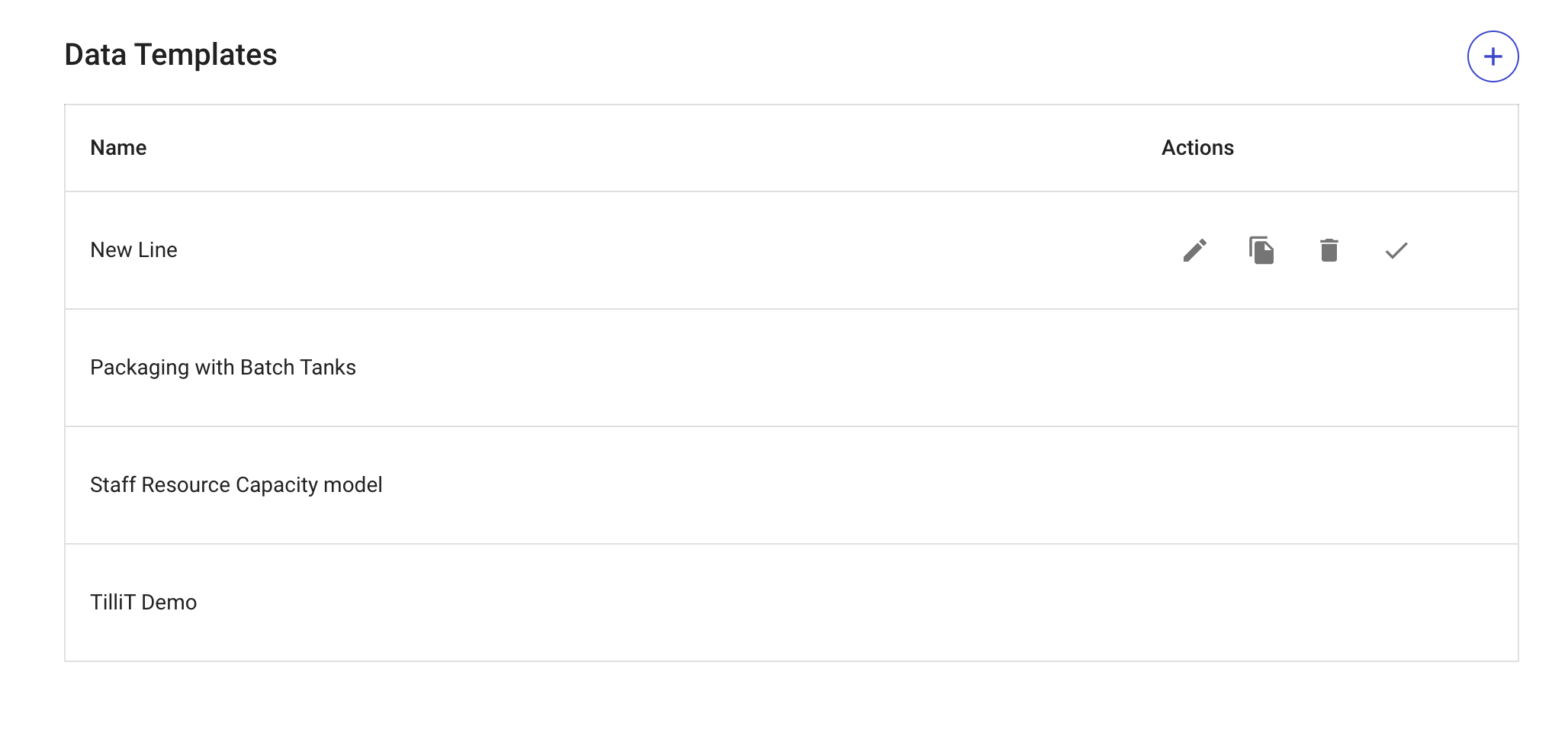
Hover over the data template and click the **Edit** icon.
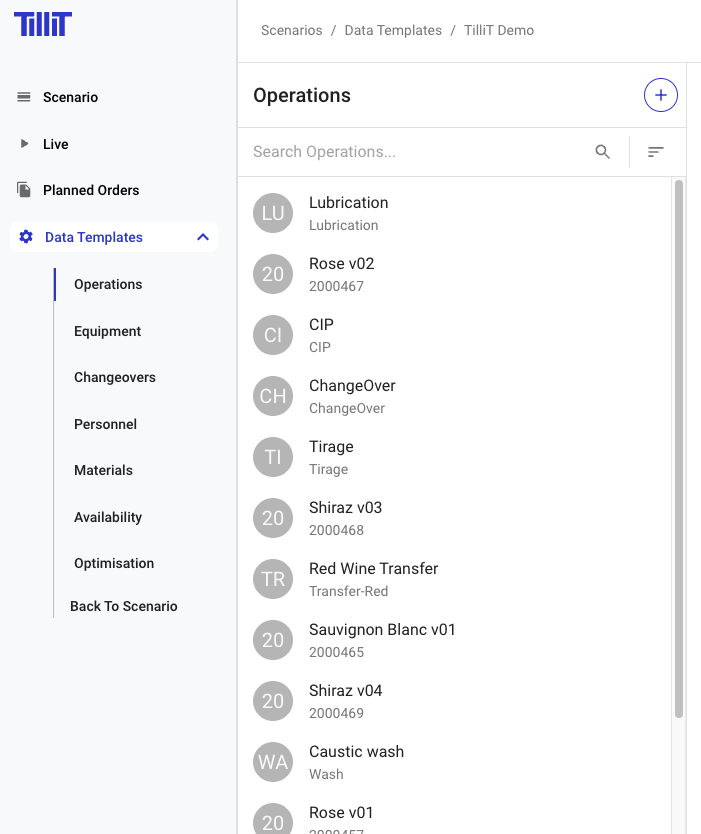
The sidebar expands to show the configuration sections:
* [Operations](/tillit/knowledge-base/scheduler/data-templates/operations.md)
* [Equipment](/tillit/knowledge-base/scheduler/data-templates/equipment.md)
* [Changeovers](/tillit/knowledge-base/scheduler/data-templates/changeovers.md)
* [Personnel](/tillit/knowledge-base/scheduler/data-templates/personnel.md)
* [Materials](/tillit/knowledge-base/scheduler/data-templates/materials.md)
* [Availability](/tillit/knowledge-base/scheduler/data-templates/availability.md)
* [Optimisation](/tillit/knowledge-base/scheduler/data-templates/optimisation.md)
## Cloning and Downloading
| Action | Description |
| ------------ | -------------------------------------------------------- |
| **Clone** | Copies a data template into a new version |
| **Download** | Exports the data template as a standard set of CSV files |
## Importing Data with the Excel Add-in
Data templates can be bulk-loaded using the TilliT Excel Add-in. The add-in supports importing all data template entities including availability, equipment, personnel, materials, operations (with routes, segments, bills of materials/equipment/personnel), and changeover sets.
See [Excel Add-in](/tillit/tools/excel-add-in.md) for installation and usage instructions.
## Multiple Data Templates
You can create multiple data templates to support different operational scenarios. Templates may represent:
* A standard daily schedule configuration
* "What-if" scenarios testing different assumptions (e.g. adding equipment, reducing labour, changing materials, or modelling alternative shift patterns)