> For the complete documentation index, see [llms.txt](https://help.tillit.cloud/tillit/llms.txt). Markdown versions of documentation pages are available by appending `.md` to page URLs; this page is available as [Markdown](https://help.tillit.cloud/tillit/knowledge-base/everyday-usage/activities/repeatable-entry-section.md).
# Repeating Item Entry Section
How to use the Repeating Item Entry Section in material movement activities to scan multiple barcoded items in a single activity submission.
The Repeating Item Entry Section lets operators scan and record an unknown number of barcoded items within a single material movement activity, without needing to submit the activity between each item.
## Overview
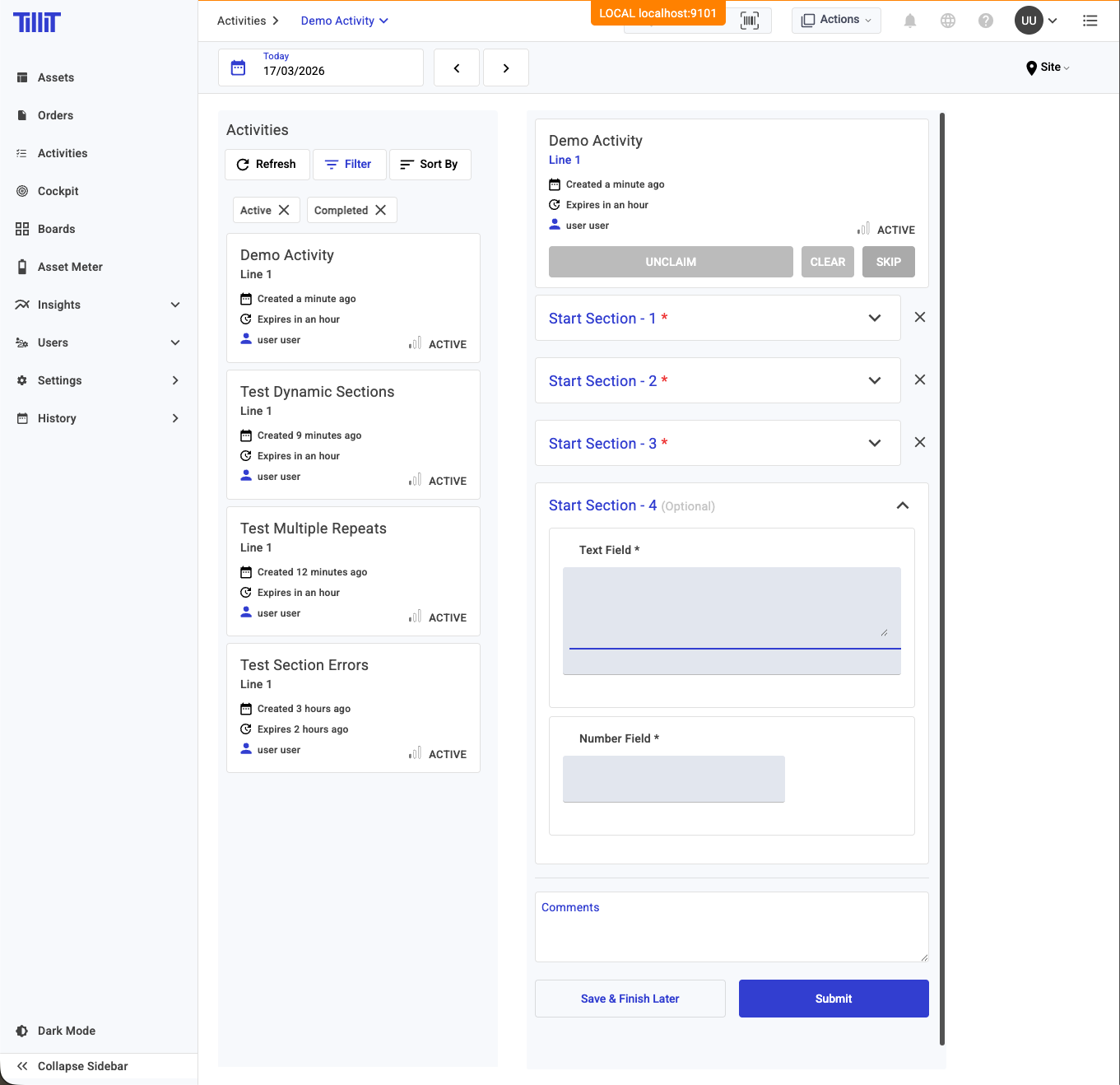
When a material movement activity is configured with the Repeating Item Entry Section, the form starts with a single item entry. As each section is completed, a new blank section appears automatically — allowing operators to keep scanning until all items are captured.
Each section records:
* **Barcode** — scanned by the operator
* **Material ID / Name** — auto-populated from the barcode scan
* **Quantity** — entered by the operator
* **Additional attributes** — such as lot number, location, reason code, or unit of measure, depending on template configuration
## Scanning Items
{% stepper %}
{% step %}
Open the material movement activity from your order or worklist.
{% endstep %}
{% step %}
Scan the barcode of the first item using a barcode scanner or the on-screen input.
{% endstep %}
{% step %}
The **Material ID/Name** field populates automatically based on the scanned barcode.
{% endstep %}
{% step %}
Enter the **Quantity** and any other required fields.
{% endstep %}
{% step %}
Once all required fields in the section are complete, a new blank section appears below.
{% endstep %}
{% step %}
Repeat steps 2–5 for each additional item.
{% endstep %}
{% endstepper %}
{% hint style="info" %}
Empty trailing sections (sections left blank after you finish scanning) are automatically ignored on submission — you do not need to delete them.
{% endhint %}
## Submitting
When you have scanned all items, tap ***Submit***.
* All sections must be valid before submission is accepted.
* Material movement transactions are created according to the workflow configuration:
* **PER\_LINE** — each section creates a separate transaction.
* **BATCH** — all sections are combined into a single batch transaction.
{% hint style="warning" %}
If any section has incomplete required fields, submission will be blocked until all sections are valid.
{% endhint %}
## Example
A material movement activity with multiple completed item entry sections
A new blank section appears automatically when the previous section is complete